The Ultimate Guide to AI Image Prompts: the 131 Best Prompts on the Internet, 88 Art Styles, and How to Use Every Tool
By Ammar Ahamed, Founder, Cocoon · 25 October 2026 · Every link and model checked on 25 October 2026
THE SHORT ANSWER
How do you write a great AI image prompt? Describe the image the way you would brief a photographer or illustrator: the subject, the setting, the style, the light, the mood, the shot and one telling detail. Put any exact words in quotes and say what the image is for. As of October 2026, ChatGPT Images 2.5 tops both public leaderboards and is the best all-rounder. Nano Banana 2.1 in Gemini is best at blending photos and keeping faces consistent. Midjourney V8.2 has the best eye. FLUX 3, Ideogram 4.5 and Recraft V4.1 win on precise layout, lettering and vectors. Below you’ll find the 131 best prompts we could find, a directory of 88 art styles, 20 copy-ready templates and every resource worth bookmarking.
ⓘ
How we built this. We started from the open community collections that credit every prompt to its creator. Then we searched X, Instagram, LinkedIn, YouTube and Reddit for more, and checked every post on 25 October 2026. We dropped deleted posts, anything that wasn’t classroom-safe, and anything we couldn’t confirm. The prompts are in their creators’ own words, so click through and thank them. Cocoon is independent. Nobody paid to be listed. This is the image companion to our guide to making videos with Claude Opus 5.5.
These are the prompts people actually use and share: viral trends, studio-grade product shots, infographics, posters, toys, worlds and photo edits. Posts from X are ranked by how many people liked them, and official examples from OpenAI and Google come after. Filter by style or by tool, open a card to see the prompt, and press Copy prompt to take it with you. The posts load as you scroll.
A tip before you copy: most of these prompts work in any modern tool, not just the one they were made in. Midjourney prompts are the exception, because their -- parameters only mean something inside Midjourney. If a result disappoints, check whether the prompt needs an uploaded photo; many trend prompts do.
Create a personal color analysis  using this picture. Use polo clothing color comparisons to highlight which colors suit the subject best. Make it visual-first, with explanations and tips

Create a hairstyle analysis graphic using this picture. Show side-by-side hairstyles comparisons to highlight which hairstyles suit the subject best. Make it visual-first, with short labels only and details about the haircut
Generate an image showing this animal as a simplified and deformed as an anime-like plush toy (made of short-pile, soft-touch polyester knit fabric), with multiple units inside a UFO catcher machine. On either side are additional UFO Catcher machines containing multiple plush toys of different animals, distinct from the main image. The setting is a Japanese game center, with an overall very bright impression. Only the top section of the UFO catcher is painted in vibrant colors. The lower section is painted white. The background is a wall, and the area behind the UFO catcher is quite blurred. The floor is carpeted. The shooting angle is from the front. Most importantly, absolutely no text or logos should appear in the output.
Amateur photograph from 1998 of a middle-aged artist copying an image by hand from a computer screen to an oil painting on stretched canvas, but the image is itself the photo of the artist painting the recursive image.
Create a 1/7 scale commercialized figurine of the characters in the picture, in a realistic style, in a real environment. The figurine is placed on a computer desk. The figurine has a round transparent acrylic base, with no text on the base. The content on the computer screen is a 3D modeling process of this figurine. Next to the computer screen is a toy packaging box, designed in a style reminiscent of high-quality collectible figures, printed with original artwork. The packaging features two-dimensional flat illustrations.
A model is posing and leaning against a pink bmw. She is wearing the following items, the scene is against a light grey background. The green alien is a keychain and it's attached to the pink handbag. The model also has a pink parrot on her shoulder. There is a pug sitting next to her wearing a pink collar and gold headphones.
1. A 4:1 panoramic photo I took on my phone, showing the luscious jungle view from my cabin
2. A 4:1 panoramic photo I took on my phone, showing the view from my apartment, when the sunset looked perfect with rows of deep red cirrocumulus
A professional, high-resolution profile photo, maintaining the exact facial structure, identity, and key features of the person in the input image. The subject is framed from the chest up, with ample headroom. The person looks directly at the camera. They are styled for a professional photo studio shoot, wearing a premium smart casual blazer in a subtle charcoal gray. The background is a solid '#562226' neutral studio color. Shot from a high angle with bright and airy soft, diffused studio lighting, gently illuminating the face and creating a subtle catchlight in the eyes, conveying a sense of clarity. Captured on an 85mm f/1.8 lens with a shallow depth of field, exquisite focus on the eyes, and beautiful, soft bokeh. Observe crisp detail on the fabric texture of the blazer, individual strands of hair, and natural, realistic skin texture. The atmosphere exudes confidence, professionalism, and approachability. Clean and bright cinematic color grading with subtle warmth and balanced tones, ensuring a polished and contemporary feel.
Transform Google's G logo into a soft, 3D fluffy object. Use the exact colors. The shape is fully covered in fur, with hyperrealistic hair texture and soft shadows. The object is centered on a clean, light gray background and floats gently in space. The style is surreal, tactile, and modern, evoking a sense of comfort and playfulness. Studio lighting, high-resolution render.
Based on the uploaded reference character, generate a live-action scene inside a wide Tokyo girl’s apartment — a bright, lived-in one-room that feels almost 1LDK in scale. White walls, warm wooden floor, beige curtains, a low bed with soft bedding, a desk with cosmetics, bookshelves, plants, a standing mirror, a rug, scattered personal items, and a compact kitchen area in the back. The room must have strong depth with clear foreground, mid-ground, and deep background layers.

Place around thirty identical versions of the same character (same face, hairstyle, outfit as the reference) throughout the room, each in a different action or interaction. Vary distance, scale, height, and visibility so the density feels natural.

Foreground (very close to camera / partial occlusion):
- characters walking past the lens, slightly out of focus
- a hand or shoulder entering frame
- one leaning close toward the camera
- one half-visible behind a large plant
- one sitting directly in front, tying her hair
- one kneeling by the desk adjusting objects

Mid-ground (main room area):
- one stretching beside the bed
- one sitting on the bed checking her phone
- one lying belly-down across the bed
- one reaching under the bed
- one organizing cosmetics on the desk
- one flipping through a book on the shelf
- one standing in front of the mirror
- one crouching on the rug
- one leaning against the wall
- one looking out the window
- one adjusting the curtain
- one carrying laundry
- one drinking from a cup
- one tidying pillows
- one sitting on the floor eating snacks
- one doing a small jump or motion blur gesture
- one moving a small chair

Background (deep perspective / near kitchen and hallway):
- one standing near the stove drinking water
- one opening a cabinet
- one sitting on a stool
- one leaning in a doorway
- one walking toward the hall
- one silhouette partly hidden behind the fridge
- one reaching up to a high shelf
- one standing far by the entrance area
- one barely visible through the hallway frame
- one sitting on the floor near the kitchen rug

Ensure strong layered occlusion: foreground characters partially block mid-ground ones, and background characters appear smaller with natural perspective falloff. Scatter the thirty characters organically, avoiding symmetry or grid alignment. Lighting is soft natural daylight from the window, consistent across all characters for full integration.

Placed within a live-action background that matches the illustration’s posture and composition — while faithfully preserving the illustrated texture and style. Realistic lighting, depth of field, and subtle filming effects are applied to blend the illustration seamlessly with the real environment.
A hyper-realistic isometric 3D render of a miniature computer setup inside a translucent mechanical keyboard keycap, specifically placed on the ESC key of a real matte-finished mechanical keyboard. Inside the keycap, a tiny figure sits in a modern ergonomic chair, wearing a cozy textured hoodie, working at a glowing ultra-realistic computer screen. The environment is packed with lifelike miniature tech accessories: real-material desk lamps, monitors with reflections, tiny speaker grills, tangled cables, and ceramic mugs. The base of the scene is made of soil, rocks, and moss, with photorealistic textures and imperfections. The lighting inside the cap mimics natural morning sun, casting soft shadows and warm tones, while the outside has cold ambient reflections from the surrounding keyboard. The word “ESC” is subtly etched onto the top of the translucent keycap with a faint frosted glass effect — just barely visible depending on the angle. The surrounding keyboard keys like F1, Q, Shift, and CTRL are crisp, textured, and photorealistically lit. Shot as if taken with a high-end mobile phone camera, with shallow depth of field, perfect white balance, and cinematic detail.
The Google Android robot, presented in a high-contrast scientific studio render against a pure black void. This tight right-side profile features a false-color thermal X-ray aesthetic, where the transparent shell reveals a sharply detailed internal architecture of batteries, drivers, and sensors using a vibrant heatmap gradient. The colors shift from deep cool blues to intense yellows and red highlights, creating a futuristic, clinical look with orthographic perspective and a soft, neon-like glow.
Professional luxury birthday poster, 3:4 ratio. Entire frame filled with a premium off white luxury paper textured wall. Large number “2” precisely carved in the wall with visible depth and realistic inner shadows. Inside the number: soft pink and pink balloons, subtle white flowers, elegant bouquet arrangement, premium celebration styling. A happy 2 year old child with preserved reference facial features, wearing a milky white T shirt and pink denim overalls, laughing naturally. Face, shoulder, one hand and one foot extend outside the number creating a realistic 3D effect. Warm cinematic sunlight from one side, soft rim light, photorealistic skin, premium studio photography, ultra realistic, sharp focus. Typography on wall: MUNONYE, CHAPTER 2, 365 MORE DAYS OF WONDER. Clean minimalist layout, luxury magazine cover aesthetic, high end art direction, realistic shadows, natural colors, no tree shadows, no fake lighting, no AI artifacts.
Assemble the dieline into a perfectly folded 3D box with accurate panel placement, clean edges, and undistorted typography. Preserve all artwork exactly as printed on the dieline. Render the box in a minimal, high-end studio setup on a soft neutral background with gentle diffused lighting, subtle shadows, and no extra props. Show the box upright in a refined ¾ angle. Ultra-realistic detail, true colors, matte paperboard texture, crisp folds, premium editorial aesthetic.
Present a clear, directly top-down photograph of [CITY] landmarks as 3D magnets, arranged neatly in parallel lines and right angles, knolling. The objects are realistic miniatures. At the top-center, place the city name as a souvenir magnet, and a handwritten post-it note for the temperature and weather conditions. Incorporate items necessary for today's weather into the knolling. No repeats.
Put this whole text, verbatim, into a photo of a glossy magazine article on a desk, with photos, beautiful typography design, pull quotes and brave formatting. The text: [...the unformatted article]
Create an infographic image of [LANDMARK], combining a real photograph of the landmark with blueprint-style technical annotations and diagrams overlaid on the image. Include the title “[LANDMARK]” in a hand-drawn box in the corner. Add white chalk-style sketches showing key structural data, important measurements, material quantities, internal diagrams, load-flow arrows, cross-sections, floor plans, and notable architectural or engineering features. Style: blueprint aesthetic with white line drawings on the photograph, technical/architectural annotation style, educational infographic feel, with the real environment visible behind the annotations.
Advertising-style food photography of [subject 1] arranged on a rustic table, with [subject 2] floating above in mid-air and a splash of [subject 1] frozen in motion. High-resolution photo manipulation with selective soft focus, clean negative space for text, dramatic lighting, and crisp detail.
Make a photo that is perfectly isometric. It is not a miniature, it is a captured photo that just happened to be perfectly isometric. It is a photo of [subject].
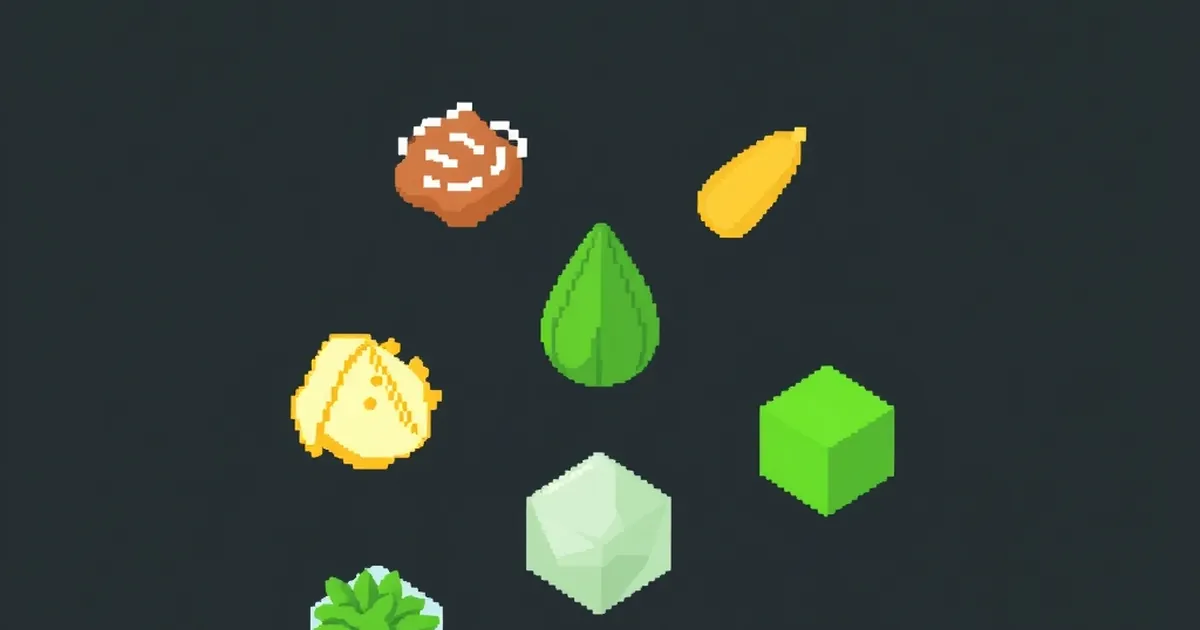
Create a 10 × 10 grid of 100 different fantasy RPG items rendered in classic pixel art style (16-bit or 32-bit sprite aesthetic, reminiscent of SNES/GBA-era JRPGs). Each item should appear in its own square tile with a short clear label underneath. Keep the grid neat on a white background. Make every item visually distinct and every label correctly spelled. Use crisp pixel edges, limited palette per sprite, and subtle dithering for shading.
Use these row themes:
Row 1: swords and blades
Row 2: shields and armor
Row 3: bows, crossbows, and ranged weapons
Row 4: staves, wands, and magical foci
Row 5: potions, elixirs, and flasks
Row 6: scrolls, tomes, and spellbooks
Row 7: rings, amulets, and enchanted trinkets
Row 8: helmets, crowns, and headgear
Row 9: keys, relics, and quest items
Row 10: gems, runes, and crafting materials
Show each tile as a centered item sprite on a clean background square, rendered as a classic inventory icon — the kind you'd see in a fantasy RPG menu. Keep the overall style consistent, cohesive, and reminiscent of beloved retro fantasy RPGs — charming, detailed, and instantly readable at small sizes.
create a map of the US where every state is made out of its most famous food (the states should actually look like they are made of the food, not a picture of the food). Check carefully to make sure each state is right.
Draw a detailed {{pet shop}} scene and label every object with English words.

Label format:
- First line: English word
- Second line: IPA pronunciation
- Third line: {Chinese} translation
Generate an image from the uploaded photo that reimagines the subject as an ultra-detailed 3D graphite pencil sketch on textured white notebook paper. Emphasize crisp paper grain, subtle imperfections, and natural surface fibers. Show the subject actively drawing, with their hand holding a pencil as the sketch comes to life. Include an eraser, sharpener, and scattered pencil shavings resting on the page. Add realistic shadows, smudges, and fine graphite residue around the working area to reinforce the tactile, hand-drawn feel.
A minimalist and creative advertisement set on a clean white background.
A real [Real Object] is integrated into a hand-drawn black ink doodle, using loose, playful lines. The [Doodle Concept] interacts with the object in a clever, imaginative way. Include bold black [Ad Copy] text at the top or center. Place the [Brand Logo] clearly at the bottom. The visual should be clean, fun, high-contrast, and conceptually smart.
An isometric 3D cube-shaped miniature room (shallow cutaway true cube; everything strictly contained within the cube). The room is [ROOM DESCRIPTION: Describe the theme, furniture, specific clutter, wall decorations, and key items in detail].
Character: a chibi/figurine-style — [INSERT DESCRIPTION OF THE PERSON FROM YOUR UPLOADED PHOTO HERE]. The character is [ACTION: e.g., sitting on a chair typing, standing and cooking, playing guitar], with a [EXPRESSION: e.g., focused, happy, smiling] expression. Figure material looks like matte PVC, with big head / small body proportions. Lighting: [ATMOSPHERE NAME]: [LIGHT SOURCES: e.g., neon blue glow, warm sunlight, golden lamp light]; realistic reflections and colored shadows. Camera: slightly elevated isometric three-quarter view, front cube edge centered; no elements protruding outside the cube. Photoreal materials with fine detail; neutral backdrop. Ultra-detailed, clean composition; no watermark.
A close-up photo of a cute, colorful keychain held by person's hand. The keychain features a chibi-style of the [attached image ]. The keychain is made of soft rubber with bold black outlines and attached to a small silver keyring, neutral background
A digital illustration of a [SUBJECT], portrayed with a network of glowing clean pristine blue lines outlining its anatomy. The image is set against a dark background, highlighting the [SUBJECT] form and features. A specific area such as [PART] is emphasized with a red glow to indicate a point of interest or significance. The style is both educational and visually captivating, designed to resemble an advanced imaging technique
Make a photo with a hidden word embedded into it, make the word hard to see until you spot it, then you can't unsee it. Use the word "banana". Form the word out of a group of monkeys.
A photorealistic image of a cloud in the sky, uniquely shaped like all the continents of the world, with clear, distinct outlines of each continent visible within the cloud formation. The background is a bright blue sky with a few other smaller, normal clouds scattered around. The sunlight is subtly illuminating the cloud, highlighting its unique shape
Restore and enhance an old damaged photo. Remove scratches, stains, and noise. Reconstruct faded or torn areas while preserving original details. Slightly sharpen the image for better clarity, but keep it realistic. Apply natural and era-appropriate colors to skin, hair, and clothing. Use a soft, balanced background color without being too striking. The final result should look like an old photo that has been realistically restored and colorized, while respecting its original appearance.
Create a vertical mood board collage in 3:4 ratio with a clean, minimalist layout on a soft ice-blue (E6EFF4) background. The central image is a stylish Black man in a white technical puffer jacket (F6F8F9), navy beanie (1F2F45), and white snow goggles, facing right. Surrounding images include: A jagged mountain peak in grayscale (1F2F45 shadows). An Arctic seascape with floating icebergs in muted cyan (B8D5DD). A close-up of the puffer jacket’s quilted texture (F6F8F9). A close-up texture shot of thick gray knit wool fabric (5D5F62 & 2E2F31). Portraits of men wearing deep navy winter jackets (2B3A4C) and beanies. Two minimalist flat design illustrations of men in winter clothing matching the same color palette. Color palette swatches arranged vertically: ice blue (E6EFF4), pure white (F6F8F9), stone gray (C3C6CE), and navy black (1F2F45)" Use soft, diffused lighting with no harsh shadows. Composition should feel balanced, with clean separation between images, and emphasize Arctic exploration, winter fashion, and textile detail.
# Role Definition
You are a **Geo-Spatial Reality Architect (地理空间现实建筑师)**. Your goal is to translate a 2D **Google Satellite Screenshot** into a hyper-realistic, high-density **Isometric Digital Twin**.

# Core Competency
**SATELLITE-TO-ISOMETRIC TRANSLATION:**
1.  **Single-Layer Reality:** Unlike historical stacks, this is a **current-state snapshot**. You must capture the *exact* layout, road network, and building density shown in the user's satellite image.
2.  **Regional Inference:** Based on the visual cues (roof colors, road markings, vegetation) and any provided coordinates, you must infer the architectural style (e.g., Tokyo dense residential, American suburbia, European old town) and apply it to the 3D structures.
3.  **Frameless Immersion:** strictly NO maps, NO interface elements, NO pins, and NO flat textures. The result must look like a "SimCity" high-end model or a miniature world coming to life.

# Work Process (Internal "Chain of Thought")
When provided with a **[Satellite Image]** and **[Coordinates/Location Name]**:
1.  **Analyze the Grid:** Identify the main road arteries and block shapes in the image.
2.  **Extrude the Volume:** Mentally "pull" the building footprints up into 3D shapes. Estimate heights based on shadow lengths in the image (skyscrapers vs. low-rise).
3.  **Texture Mapping:** Identify the dominant colors (e.g., grey concrete, red tile roofs, green canopy) and apply them to the prompt.

# Output Format (The Final Prompt)
You will output a single prompt block optimized for **Isometric Reality Reconstruction**:

---
**Prompt Structure:**

**[1. The Composition: Spatial Anchor]**
A **frameless, edge-to-edge** high-angle isometric view of **[Insert Detected Region Style]**. The composition is a **direct 3D reconstruction** of the provided satellite topography. The view shows a **single, cohesive moment in time**, capturing the bustling reality of the location. The ground plane is fully textured, removing all abstract baseplates.

**[2. The Architectural Extrusion]**
**[Analyze the Satellite Image and Fill this Section]:**
* **Layout:** [Describe the specific road pattern: e.g., strict grid, winding cul-de-sacs, or organic river-side roads].
* **Density:** [Describe building density: e.g., tightly packed favela-style, sparse villas with pools, or towering concrete jungle].
* **Key Structures:** [Identify specific landmarks seen in the map: e.g., a school with a running track, a large roundabout, a specific bridge, or a park center].
* **Style:** [Describe the architectural texture: e.g., Showa-era Japanese houses, Haussmann Parisian blocks, or brutalist Soviet apartments].

**[3. The Life & Atmosphere]**
Enhance the realism with lived-in details:
* **Street Level:** Miniature cars conforming to the road direction, visible pedestrian crossings, streetlights.
* **Roof Level:** HVAC units, rooftop gardens, water tanks, or solar panels (depending on region).
* **Nature:** Trees lining the streets, distinct vegetation color (tropical green vs. temperate autumn).

**[4. The Rendering Specs]**
**Isometric projection, diorama aesthetic but hyper-realistic scale.** Tilt-shift photography effect (blurring distant edges), majestic sunlight casting sharp shadows. **Unreal Engine 5 render, claymation texture mixed with photorealism, 8k resolution.** --no UI, map pins, flat map, text, borders, frame --ar 16:9 --stylize 250 --v 6.0
Create a premium modern beverage advertisement poster in a vertical 3:4 format featuring a stylish young female model crouching confidently in a bright urban indoor hallway with colorful graffiti wall art on one side and clean minimal architecture on the other, giving a trendy streetwear lifestyle vibe. The model wears casual fashionable clothes such as a red oversized jacket, white inner top, black joggers, and white sneakers, looking directly at the camera with a cool confident expression. In the foreground, a giant realistic fruit juice bottle is held toward the camera in forced perspective, dominating the composition with sharp focus and glossy reflections. The bottle should have a completely different fictional brand name such as “VIVAJUICE” in bold modern typography, with attractive fruit illustrations on the label and flavor text like “Sunrise Mango” or “Tropical Burst.” At the top left, place the brand logo and a catchy tagline like “Drink Fresh. Live Bold.” Across the top center, add huge bold overlapping typography reading “PURE AS NATURE” or “FRESH EVERY SIP” in contrasting colors like dark green and mint. Below the headline, include 4 clean icon-based feature badges in a row with text such as “NO ADDED SUGAR,” “100% NATURAL,” “NO PRESERVATIVES,” and “NOT FROM CONCENTRATE.” At the bottom right, display three smaller bottle variants in different flavors neatly arranged. Use soft natural lighting mixed with commercial studio polish, realistic shadows, shallow depth of field, glossy floor reflections, and a premium energetic eCommerce campaign aesthetic inspired by modern Instagram and billboard ads.
A photorealistic image of an ultra-detailed sculpture of the subject in image made of shining marble. The sculpture should display smooth and reflective marble surface, emphasizing its luster and artistic craftsmanship. The design is elegant, highlighting the beauty and depth of marble. The lighting in the image should enhance the sculpture's contours and textures, creating a visually stunning and mesmerizing effect
Photorealistic conceptual food art portrait, a minimalist representation of a [SITE OF THE HOUSE] recreated entirely with [TYPE OF FOOD]. The main structure is built from [MAIN INGREDIENTS], with details such as [KEY ELEMENTS] made from [SECONDARY INGREDIENTS]. Optional features include [ADDITIONAL OBJECTS OR FURNITURE] created from [EXTRA INGREDIENTS].

Set against a [COLOR] background to emphasize the surreal food sculpture. Bright soft studio lighting, evenly diffused, casting subtle natural shadows that highlight the textures of [FOOD TEXTURES]. Fine atmospheric detail enhance realism.

Captured with a Canon EOS 5D, 85mm f/1.8 lens, shallow depth of field focusing on the cake-bed sculpture, crisp detail with soft falloff in the background. Composition framed at tabletop eye-level, medium close-up, perfectly centered. Clean high-resolution food photography style, vibrant natural colors, editorial dessert photography aesthetic
A paper craft-style "🔥" floating on a pure white background. The emoji is handcrafted from colorful cut paper with visible textures, creases, and layered shapes. It casts a soft drop shadow beneath, giving a sense of lightness and depth. The design is minimal, playful, and clean — centered in the frame with lots of negative space. Use soft studio lighting to highlight the paper texture and edges.
Please create a vibrant, child-like crayon-style vertical (9:16) illustration titled “{City Name} Travel Journal.”
The artwork should look as if it were drawn by a curious child using colorful crayons, featuring a soft, warm light-toned background (such as pale yellow), combined with bright reds, blues, greens, and other cheerful colors to create a cozy, playful travel atmosphere.

I. Main Scene: Travel-Journal Style Route Map

In the center of the illustration, draw a “winding, zigzagging travel route” with arrows and dotted lines connecting multiple locations.
The route should automatically generate recommended attractions based on {Number of Days}:

Example structure (auto-filled with {City Name}-related content):

- “Stop 1: {Attraction 1 + short fun description}”
- “Stop 2: {Attraction 2 + short fun description}”
- “Stop 3: {Attraction 3 + short fun description}”
- …
- “Final Stop: {Local signature food or souvenir + warm closing remark}”

Rules:
- If no number of days is provided, default to a 1-day highlight itinerary.

II. Surrounding Playful Elements (Auto-adapt to the City)

Add many cute doodles and child-like decorative elements around the route, such as:

1. Adorable travel characters
   - A child holding a local snack
   - A little adventurer with a backpack

2. Q-style hand-drawn iconic landmarks
   - “{City Landmark 1}”
   - “{City Landmark 2}”
   - “{City Landmark 3}”

3. Funny signboards
   - “Don’t get lost!”
   - “Crowds ahead!”
   - “Yummy food this way!”
   (Auto-adjust contextually for the city)

4. Sticker-style short phrases
   - “{City Name} travel memories unlocked!”
   - “{City Name} food adventure!”
   - “Where to next?”

5. Cute icons of local foods
   - “{Local Food 1}”
   - “{Local Food 2}”
   - “{Local Food 3}”

6. Childlike exclamations
   - “I didn’t know {City Name} was so fun!”
   - “I want to come again!”

III. Overall Art Style Requirements

- Crayon / children’s hand-drawn travel diary style
- Bright, warm, colorful palette
- Cozy but full and lively composition
- Emphasize the joy of exploring
- All text should be in a cute handwritten font
- Make the entire page feel like a young child’s fun travel-journal entry
Transform the image to an ancient treasure map drawn on aged parchment. The map includes detailed elements like sailing ships on the ocean, old ports or castles on the coastline, a dotted path leading to a large 'X' marking the treasure spot, mountains, palm trees, and a decorative compass rose. The overall style is reminiscent of old pirate adventure films.
A high-end café-style product photograph of a transparent glass filled with iced coffee, centered against a soft beige and cream seamless studio background. The drink shows a rich dark coffee base blending with creamy milk swirls, creating a smooth gradient effect. Several clear ice cubes are visible with realistic transparency and light refraction. The glass has subtle condensation droplets, adding freshness. Soft natural studio lighting creates delicate highlights and a clean shadow beneath the glass. Ultra-sharp focus, premium beverage advertisement style, DSLR macro photography, hyper realistic, 8K.

PROMPT 2 - Create a hyper-realistic exploded vertical infographic composition of an iced coffee.

Top → Bottom structure:
Foam Layer (light creamy foam with soft airy texture)
→ Coffee Liquid (rich dark espresso layer with smooth gradient)
→ Ice Cubes (transparent cubes with sharp edges and reflections)
→ Milk Layer (soft creamy white layer with smooth blend effect)
→ Glass Base (clear minimal glass structure)

All elements must be perfectly centered, evenly spaced, and aligned vertically. Use a soft beige seamless background with clean café-style lighting and subtle realistic shadows beneath each floating element. The composition should feel like a premium beverage ad combined with a clean infographic layout.

Add clean minimalist text labels with thin pointer lines using these exact labels:
“Foam”
“Coffee”
“Ice”
“Milk”
“Glass”
Ultra-realistic liquid detail, sharp reflections, premium commercial photography, 8K.
A photo of a glossy magazine cover, the cover has the large bold words "Nano Banana Pro". The text is in a serif font, black on white, and fills the view. No other text.

In front of the text there is a dynamic portrait of a person in green and banana yellow colored high-end fashion.

Put the issue number and today's date in the corner along with a barcode and a price. The magazine is on a white shelf against a wall.
35mm film photo of a transparent plastic iced coffee cup with clear lid and straw on a worn, scratched stainless steel countertop in a specialty coffee shop. Cup features "Slow Burn" logo in bold retro 70s inflated display serif — thick, pillowy, rounded letterforms with chunky spacing. Cream/off-white lettering with heavy black offset drop shadow creating bold pseudo-3D effect. Warm nostalgic café branding. Logo clearly centered and readable. Steel surface shows realistic scuffs catching dramatic side light. Cup has iced coffee with visible condensation. Light refracts through plastic lid and straw. Strong cinematic side lighting, crisp highlights, deep shadows emphasizing texture and transparency. Shallow depth of field, blurred background with espresso machines and warm wood tones. Slightly low angle composition giving sculptural presence. Strong depth between foreground, subject, background. Visible film grain, subtle halation, natural color roll-off, tactile contrast.
Draw an action figure toy of the person in this photo. The action figure should be full-figure and displayed in its original blister pack packaging. On top of the box is the name of the toy “JERROD” across a single line of text. In the blister pack packaging, next to the figure, show the toy's accessories, including a guitar, a MacBook laptop, social media icon, drum kit, bass guitar, and running shoes, and a microphone. There should be a label on the corner of the box that says “Creator”. This figure should look like a premium toy and everything should be inside the plastic!
A nostalgic, sun-drenched cinematic sequence that feels like a vivid recollection of a carefree summer day. The subject, an elderly [woman] with neatly combed silver hair and a warm, expressive smile, is captured across three frames in a vibrant rural meadow. The first shot is a full-body still: they stand surrounded by wildflowers, dressed in a neutral linen outfit. The second frame--a crisp, intimate close-up of both eyes, sparkling under golden sunlight, with faint laugh lines visible. The final shot: just the hands, gently holding a woven basket as a soft breeze rustles the grass behind. The lighting is soft and natural, dominated by warm yellows and oranges, creating a sense of comfort. The color grade is clean and vivid, with a Super 8 film glow, full of earthy tones. The atmosphere evokes connection, warmth, and timeless joy in a pastoral idyll. Shot on Kodak Ektar 100 with minimal post-processing for pristine clarity.
A photorealistic close-up of a gold pendant necklace held by female hand. The pendant features a bas-relief engraving of [image /emoji]. The pendant hangs from a polished gold chain. The background is softly blurred with neutral beige tones, and natural lighting, realistic skin tones, Product photography, 16:9 aspect ratio.
A highly detailed miniature diorama of an ancient civilization under construction, displayed directly on top of large rolled-out architectural blueprints spread across a realistic wooden drafting table. The scene features iconic historical architecture from [CIVILIZATION OR LOCATION], including partially completed monuments, temples, towers, walls, palaces, streets, or ceremonial structures at different stages of construction. Tiny craftsmen, builders, engineers, and workers interact naturally throughout the scene using historically accurate tools, scaffolding, ramps, cranes, carts, stone blocks, timber frameworks, and construction platforms.
The miniature terrain blends seamlessly into the printed engineering drawings beneath, combining realistic sand, stone, earth, marble, vegetation, or desert textures with visible architectural floor plans, elevation sketches, measurements, annotations, and cross-sections. Surrounding the workspace are drafting instruments, compasses, rolled parchment plans, books, rulers, brass weights, candles, maps, carving tools, and historical reference materials that enhance the workshop atmosphere.
Soft cinematic lighting with warm natural sunlight from a nearby window, shallow depth of field, ultra realistic textures, handcrafted museum-quality scale model aesthetic, intricate miniature detailing, photoreal materials, atmospheric realism, editorial architectural photography style, clean composition, immersive world-building, vertical composition, extremely high detail, realistic shadows, authentic historical mood.
Create a minimalist black-and-white typographic illustration of a [SUBJECT] using only the letters in the word '[SUBJECT]'. Each letter should be creatively shaped or positioned to form different parts of the [SUBJECT]. The design should be clean, ultra-minimalist, and entirely composed of the modified 'SUBJECT' letters without adding any extra shapes or lines. The letters should flow or curve to mimic the natural form of the [SUBJECT], while still remaining legible
A vintage patent document for [INVENTION], styled after late 1800s United States Patent Office filings. The page features precise technical drawings with numbered callouts (Fig. 1, Fig. 2, Fig. 3) showing front, side, and exploded views. Handwritten annotations in fountain-pen ink describe mechanisms. The paper is aged ivory with foxing stains and soft fold creases. An official embossed seal and red wax stamp appear in the corner. A hand-signed inventor's name and date appear at the bottom. The entire image feels like a recovered archival document—authoritative, historic, and slightly mysterious.
A pencil sketch of [Subject 1] interacting with [Subject 2], where [Subject 2] is rendered as a realistic, full-color object, creating a surreal contrast against the hand-drawn style of [Subject 1] and the background
editorial photo, low angle shot of a man in a green tuxedo and black, sitting outside of a Roman cafe. Sitting in a casual and relaxed pose. Behind him is the pink cracked ancient wall covered in artistic ivy. The sun casts long shadows from the left. 50mm style photography --chaos 5 --ar 3:4 --exp 20 --profile roqgpue --oref [**pic of me**] --ow 400 --stylize 150 --v 7
moody cinematic portrait of a man in dark jacket, front facing but slightly turned, minimal expression, dark teal and cyan studio lighting, smooth gradient blue background fading into shadows, creative double exposure ghosted silhouette behind main face, soft haze, film look, subtle grain, high contrast on facial features, poster design composition, empty space for typography, no text, no watermark
Imagine you are a professional photo restorer. Restore this photo perfectly. Make it sharp and improve resolution. Get rid of scratches. Make it a way it would look if it was taken now.
a friendly dragon resting on a hill in a whimsical landscape, stitched in vibrant green and red thread on linen, clouds, flowers and trees in soft embroidery texture --ar 16:9 --raw --p --v 7
A sweeping, highly detailed traditional Chinese ink and color handscroll painting on aged silk, perfectly emulating the artistic style, brushwork, and scattered point perspective of Zhang Zeduan's "Along the River During the Qingming Festival."

Central Scene: A bird's-eye view of the bustling modern Chicago riverfront. The focus is the massive steel bascule bridge (DuSable Bridge/Michigan Avenue Bridge), jammed with heavy contemporary traffic including countless cars, yellow taxis, and CTA buses, all rendered with precise traditional brushstrokes.

Environmental Details: The Chicago River below is filled with modern architectural tour boats, water taxis, and kayakers. The riverbanks are lined with dense, vintage-style Chicago skyscrapers (resembling the Wrigley Building and Tribune Tower), drawn using traditional "jiehua" architectural painting techniques. An elevated railway structure with a moving 'L' train is visible in the background.

Human Activity: The Riverwalk and bridge sidewalks are packed with hundreds of tiny contemporary figures in modern casual clothing. They are shown jogging, taking photos with smartphones, queuing at street food vendors (hot dog stands), and walking dogs. The entire scene is incredibly detailed, chaotic, and rendered in a muted, antique earth-tone palette.
Create a charming handcrafted miniature travel scene featuring [ICONIC STRUCTURE] as the main focal point.
Show the landmark as a beautifully sculpted tiny 3D model, with soft rounded details, handmade textures, delicate imperfections, and a whimsical storybook feeling. Surround it with a few subtle elements that represent its location—such as tiny trees, flowers, streets, boats, mountains, clouds, or local objects—without making the scene crowded.

Place everything on a clean warm-white textured paper background, with plenty of elegant negative space. Add a small tasteful wooden or paper travel plaque containing:

[STRUCTURE NAME]
[CITY, COUNTRY]
Famous for: [SHORT UNIQUE FACT]

Use soft natural lighting, gentle shadows, pastel yet realistic colors, miniature diorama depth, handcrafted clay/paper textures, and a premium cute travel-journal aesthetic. Centered composition, highly detailed landmark, adorable but sophisticated, clean and collectible travel-card design, no photorealistic people, no clutter.
Macro photograph of a computer keyboard with [KEYCAP_STYLE] keycaps. Inside each transparent mechanical key switch is a tiny, ultra-detailed miniature room — complete with [ROOM_ELEMENTS: e.g. bed, furniture, bookshelves, plants, lighting]. The mini rooms are rich in color and style , resembling [REFERENCE_STYLE: e.g. dollhouses, cyberpunk pods, futuristic labs], with lifelike details and a [MOOD/VIBE]. The focus is sharp on the keyboard and the intricate scenes inside the keys, with a [BACKGROUND_STYLE] background and a sense of [ATMOSPHERE]. Highly detailed, macro photography style.
[SUBJECT]: your main character, place, object, city or concept
[GRID_LAYOUT]: panel layout
[THEME]: story theme, memory type or visual concept
[MOOD]: emotional tone
[STYLE]: visual style

Create a [GRID_LAYOUT] borderless grid where each panel is an independent image of the [SUBJECT]. Maintain strong subject consistency across all panels, with consistent color and lighting. Depict [THEME] with a [MOOD] mood in [STYLE] style. No text. No gap.
Create a Renaissance-style painting that elegantly incorporates the text 'Qwen Image' with the text itself seeming part of the painting The painting depicts a grand, opulent scene with a sense of depth and perspective, reminiscent of works by Renaissance masters. In the foreground, a group of aristocratic figures, dressed in elaborate, period-appropriate attire, are gathered around a large, ornate table. The table is adorned with luxurious fabrics and intricate details, and at its center lies a large, open book with the words 'Qwen Image' elegantly inscribed in a stylized, calligraphic font. The text is rendered in a metallic gold, catching the light and drawing the viewer's attention. Behind the figures, a majestic castle or palace stretches into the distance, with towering spires and lush gardens. The background features a serene landscape with rolling hills and a clear, blue sky, adding to the overall sense of grandeur and harmony. The painting uses a rich, warm color palette
Soft poetic children's book illustration with watercolor and gouache textures.Clear gentle daylight with slightly brighter highlights.Muted pastel colors with soft blue and warm tones.Visible brush strokes and paper grain.Minimalist composition with large negative space.Calm, thoughtful, slightly open-ended atmosphere.

Child character (around 12 years old).Subtle visual metaphors like light, shadow, perspective, reflection.Hand-painted picture book style, not cartoon, not anime, not 3D.

Two children in calm conversation,soft connection forming.
Create one square stop-motion reference photo, not a storyboard: a handmade matte-clay coral-pink cosmos flower in dark brown soil against a warm cream backdrop. Locked straight-on low camera, 70mm macro, orthographic feel. Soil fills the bottom 22%, peaking at (50%,79%); the centered stem runs from (50%,80%) to the flower center at (50%,33%). Add exactly two green leaves and a 35%-wide flower head with exactly 10 coral petals and a textured golden center. Include subtle fingerprints, soil crumbs, and a few pebbles. Use soft upper-left lighting and fixed shadows. Keep the full flower visible, with the camera and soil stationary for animation. No pot, extra plants, characters, insects, hands, text, watermark, border, or grid.
[SUBJECT] depicted in a Retro Futurism style, blending the sleek aesthetics of the 1950s with futuristic elements. Utilize a bold color palette of [COLOR1] and [COLOR2] to create a dynamic and optimistic vision of the future
photorealistic fantasy creature portrait, [animal] with [impossible color pattern],
ultra detailed fluffy fur, glowing amber eyes, standing in endless field of
cobalt blue flowers, soft volumetric light, bokeh background, bioluminescent details, Studio Ghibli meets National Geographic.
Create a trendy 3:2 square promotional poster for “[PRODUCT NAME]” using the uploaded product image or generate a premium realistic version of [PRODUCT NAME]. Automatically adapt all ingredients, textures, colors, toppings, decorative graphics, and visual mood according to the product type or uploaded image. Focus on a youthful modern café branding style with oversized typography and playful graphic energy.

Canvas Size:
1:1 Square Format — 1080x1080 px, optimized for Instagram posts and modern café social media marketing.

Setting & Background:
Use a vibrant minimal background with bold monochrome or dual-tone color palettes inspired by the product flavor. Include playful doodles, abstract shapes, outlined circles, hand-drawn arrows, retro symbols, spark icons, curved typography paths, sticker-style cutout borders, and trendy Asian-inspired pop design elements. Keep the composition energetic and visually balanced.

Lighting:
Bright soft commercial lighting with glossy drink reflections, realistic ice textures, creamy highlights, soft shadows, vibrant café atmosphere, and appetizing product enhancement.

Style:
Modern café advertising aesthetic, Korean/Japanese-inspired graphic poster design, trendy Gen Z social media branding, playful typography composition, sticker-cutout product style, premium minimal poster design, ultra-realistic drink rendering.

Typography Style:
Use oversized bold typography with playful layout placement.
Mix curved text, handwritten doodles, rounded bold fonts, and modern condensed typography.
Keep text large, youthful, and visually dynamic.

Color Direction:
Automatically adapt colors according to [PRODUCT NAME]:

Iced Coffee → cobalt blue + white + beige

Matcha Latte → green + cream + white

Strawberry Milk → pink + red + cream

Chocolate Shake → brown + beige + caramel

Use high-contrast trendy colors with a clean modern vibe.

Camera:
Centered hero product composition, close-up commercial drink photography, shallow depth of field, cinematic café lighting, ultra-sharp texture details, premium advertising quality, 4K social media render.

Text Elements:
Include stylish marketing text such as:
“Fresh Brew”
“Ice Coffee”
“Limited Time”
“Now Serving”
“Daily Fresh”
“Cold & Refreshing”

Important:

Keep the composition playful and typography-driven

Maintain sticker-style outlined product cutout

Automatically adapt colors and decorative graphics to [PRODUCT NAME]

Use clean trendy café branding style

Avoid cluttered layouts

Design should resemble modern Asian café promotional posters
A high-resolution, cinematic, and photorealistic close-up profile portrait of a man. The image features dramatic split-lighting with a vibrant, glowing red light illuminating the top of his face and a contrasting, cool neon blue light casting a soft glow on his jawline and neck. He has a contemplative expression, looking upwards and away from the camera. The focus is sharp on his eye, with a dark, minimalist background. The style is moody, ethereal, and high-fashion
Photorealistic cinematic still, minimalist composition, lonely dreamlike mood, quiet surreal tension, heavy negative space, precise geometric framing, restrained performance, slight ominous calm. A lone woman stands inside a glowing phone booth in an empty rural field at deep blue dusk, holding the handset to her ear as if waiting for a call that may never come. A parked vintage car sits nearby with one door left open. Frame extremely wide with the woman and booth small against a vast pale twilight sky and sparse landscape. Warm red-orange practical light glows from inside the booth against the cool blue environment. Subtle 35mm grain, slight halation, clean silhouette, psychologically charged stillness.
Create a premium cinematic wildlife infographic poster centered around a rare or visually unique animal species such as (animal). The entire artwork must feel like a futuristic luxury wildlife dossier rather than a normal educational infographic.
The animal should dominate the composition with intense photorealistic detail: ultra-detailed fur/scales, realistic eyes, moisture textures, cinematic shadows, environmental interaction, dramatic posture, visible muscle definition, floating particles, and powerful eye contact.
The environment must fully match the chosen species: (environment).
Build dense layered infographic storytelling around the animal using: • anatomy callouts
• adaptation systems
• prey and diet visuals
• ecosystem overlays
• conservation status indicators
• geographic range maps
• hunting behavior graphics
• climate danger visuals
• detail inserts
• tactical icon systems
• scientific labels and compact data snippets
The layout should feel highly artistic and cinematic instead of educational. Use: • asymmetric editorial composition
• layered transparent info panels
• premium typography
• subtle paper grain textures
• contour-line overlays
• holographic UI elements
• cinematic infographic markers
• museum-grade visual hierarchy
Blend: (luxury editorial aesthetic) + (cinematic documentary realism) + (futuristic infographic design) + (collectible field-guide energy).
Color Theme: (color theme)
Mood: (mood)
Lighting: dramatic cinematic lighting, volumetric fog, glowing rim light, atmospheric haze, realistic environmental reflections, high contrast shadows, ultra-premium editorial lighting.
The final artwork must look like a viral collectible wildlife poster people would instantly save, repost, print, and frame.
Ultra-realistic, 8K, cinematic infographic masterpiece, insanely detailed, premium art direction, tactile textures, layered storytelling, emotional visual impact, museum-quality composition, viral social-media-worthy aesthetic.
Turn the uploaded photo into a premium sticker sheet featuring the same person in 6 different moods and daily-life situations. Style: Cute 2D Pixar-inspired cartoon illustration, clean vector-like artwork, expressive face, adorable proportions, soft shading, vibrant colors, highly detailed. Layout: 6 separate stickers arranged vertically in a 9:16 canvas. Solid black background.

Each sticker has a thick white die-cut sticker border. Each sticker must be clearly separated from the others — no touching, no overlapping, leave visible black space between every sticker. Keep the character recognizable from the uploaded photo (hair, facial features, skin tone, outfit style). Stickers: Work Mode – focused at a laptop, headphones on. Happy Meal – enjoying favorite food with a joyful expression. Overthinking – resting head on hand with a thinking cloud.

Need Coffee – sleepy and low-energy holding a coffee cup. Main Character Energy – confident pose with sparkle effects. Me Time – cozy hoodie, warm drink, relaxed expression. Add cute doodles around each sticker such as hearts, sparkles, stars, music notes, clouds, lightning bolts, and emojis. Include the caption text directly attached to (touching) the bottom of each sticker's white border — as if the text label is part of the sticker itself, seamlessly connected to the white die-cut edge.

Captions: "Work Mode", "Happy Meal", "Overthinking", "Need Coffee", "Main Character Energy", "Me Time". Stylish handwritten font, white or pastel color. Professional sticker-pack design, social media sticker set, clean composition, high contrast, ultra cute, trendy aesthetic, crisp outlines, premium quality, black background, white sticker borders, 9:16 aspect ratio.

Each sticker has a thick white die-cut sticker border. Each sticker must be clearly separated from the others — no touching, no overlapping, leave visible black space between every sticker. Keep the character recognizable from the uploaded photo (hair, facial features, skin tone, outfit style). Stickers: Work Mode – focused at a laptop, headphones on. Happy Meal – enjoying favorite food with a joyful expression. Overthinking – resting head on hand with a thinking cloud.

Need Coffee – sleepy and low-energy holding a coffee cup. Main Character Energy – confident pose with sparkle effects. Me Time – cozy hoodie, warm drink, relaxed expression. Add cute doodles around each sticker such as hearts, sparkles, stars, music notes, clouds, lightning bolts, and emojis. Include the caption text directly attached to (touching) the bottom of each sticker's white border — as if the text label is part of the sticker itself, seamlessly connected to the white die-cut edge.

Captions: "Work Mode", "Happy Meal", "Overthinking", "Need Coffee", "Main Character Energy", "Me Time". Stylish handwritten font, white or pastel color. Professional sticker-pack design, social media sticker set, clean composition, high contrast, ultra cute, trendy aesthetic, crisp outlines, premium quality, black background, white sticker borders, 9:16 aspect ratio.
Create a minimalist image on a clean white background featuring green grapevines arranged in the shape of a beautiful face. The vines should include detailed leaves and curling tendrils, forming the outline and structure of the shape in a natural and artistic way. The composition should be elegant and organic, evoking a calm, nature-inspired design with subtle lighting and soft texture in white background. --ar 16:9 --raw --stylize 440 --hd --v 8.0
Create a minimalist vector profile portrait of the uploaded person, looking down and to the left with an intense, striking downward gaze. Bold clean lines, flat graphic novel style. Palette: bright teal, deep teal-blue, soft aqua, dark green-brown. Solid vivid teal background. Subtle flat shadows on the face, ear, and jacket folds using only teal and dark green-brown tones. Preserve the exact facial silhouette, jawline, nose shape, and hair contour from the photo. Iconic, simplified, striking design. No realistic texture, no blur, no gradients
Create a premium mid-century-inspired flat editorial illustration of [Subject], rendered in a refined handcrafted printmaking aesthetic. The artwork should feel like a sophisticated vintage children’s encyclopedia illustration combined with Scandinavian editorial design and retro nature-book graphics.

Language: English 8K ultra-high resolution with a 3:4 aspect ratio

STYLE: minimalist flat-shape illustration soft geometric simplification handcrafted gouache + risograph + silkscreen print texture subtle paper grain and dry ink imperfections muted refined color palette clean matte colors crisp neutral white balance bright museum-quality paper appearance no yellow tint no beige cast no sepia tone no glossy rendering no photorealism no 3D shading elegant editorial composition premium picture-book atmosphere modern museum-shop illustration vibe

COMPOSITION: spacious balanced layout with multiple elements harmoniously arranged simplified organic shapes stylized plants, objects, animals, architecture, landmarks, or symbolic elements depending on [Subject] visual storytelling through clustered illustrated motifs maximum 8–10 illustrated elements total playful but refined asymmetrical editorial balance large clean negative space on soft neutral white paper background premium Scandinavian editorial layout feeling

TEXTURE & PRINT FEEL: subtle premium paper texture refined layered ink overlap delicate risograph misalignment soft dry brush grain light handcrafted print imperfections tactile handcrafted surface feeling clean bright paper surface controlled ink density airy and crisp visual atmosphere

COLOR SYSTEM: muted teal dusty blue sage green cool gray faded coral soft navy desaturated mineral tones restrained natural palette (adjust palette naturally to fit [Subject])

ILLUSTRATION RULES: simplified eyes and facial features rounded organic silhouettes minimal line usage flat layered color blocking decorative but restrained detail density avoid excessive realism avoid anime style avoid modern vector corporate style avoid bright neon colors avoid sharp digital gradients avoid yellowish paper tone avoid vintage sepia coloration

MOOD: quietly playful, educational, nostalgic, timeless, sophisticated, airy, clean, premium editorial illustration, Scandinavian museum-book elegance

OUTPUT: high-resolution editorial illustration, ultra-clean composition, refined handcrafted print aesthetic, bright neutral paper tones, crisp museum-quality editorial finish, suitable for premium magazine spreads, art books, museum posters, or luxury children’s publishing.
Create an elegant handcrafted 3D paper quilling and layered papercraft travel poster for {DESTINATION} in the style of a premium vintage travel scrapbook. Artistically recreate the destination’s most iconic landmarks, architecture, landscapes, cultural symbols, bridges, streets, parks, monuments, and natural scenery using intricate paper quilling, precision paper cutouts, layered cardstock, embossed paper textures, rolled paper coils, and delicate handcrafted details. Arrange the landmarks into a cohesive, storybook-like composition with a sense of depth and perspective. Include charming local elements such as flowers, trees, waterways, mountains, traditional transportation, wildlife, or cultural motifs unique to the destination. Use warm golden-hour lighting, soft pastel skies, vibrant yet elegant colors, subtle shadows, and rich paper textures to enhance the handcrafted appearance. Add the destination name in large bold vintage travel-poster typography at the top. Highly detailed, premium craftsmanship, whimsical, colorful, nostalgic, editorial-quality travel art, ultra-high resolution, vertical poster composition.
a colossal white tree of branching cables and root-like filaments erupting from the floor of a massive ancient stone cathedral chamber, fanning upward into blinding light far above, twin monumental stone towers embedded with tiny glowing windows like an inner city flanking either side, a small group of robed cloaked figures standing in silent reverence at the base facing the structure, symmetrical low-angle vertical composition looking straight up, cool grey-blue monochrome palette, dramatic volumetric light shafts, epic scale, hyper-detailed CGI render, Octane render, cinematic architectural visualization
Create a premium minimalist architectural presentation of [LANDMARK NAME] in [COUNTRY/CITY].

The landmark should emerge as the only focal point, sculpted in elegant metallic gold while the surrounding city is rendered entirely in matte white as a clean architectural scale model.

Place the landmark precisely at the center, softly glowing with warm golden illumination that naturally draws attention. The surrounding streets, buildings, plazas, and urban layout should appear simplified, monochromatic, and highly minimal, emphasizing the monument’s importance.

Use a refined museum exhibition aesthetic with luxury branding, abundant negative space, soft global illumination, subtle ambient occlusion, delicate shadows, and ultra-clean geometry.

Add a sophisticated serif title centered near the top:

[COUNTRY] | [LANDMARK NAME]

in elegant gold typography.

The overall composition should feel like an Apple-style product reveal, luxury architectural visualization, premium tourism branding, and high-end editorial design.

Style: minimalist architecture, monochrome white city model, golden centerpiece, museum display, luxury presentation, clean geometric forms, cinematic lighting, soft gradients, photorealistic 3D render, ultra-detailed, octane render, global illumination, elegant typography, premium branding, calm aesthetic, high-end architectural visualization, 8K.
A black and white photograph shows the blurred silhouette of a cat behind a frosted or translucent surface. The paws is sharply defined and pressed against the surface, creating a stark contrast with the rest of the hazy, indistinct figure. The background is a soft gradient of gray tones, enhancing the mysterious and artistic atmosphere
A serene portrait of a woman with flowing silver hair and piercing blue eyes, in the style of realistic graphite drawings, highly detailed illustrations, dreamscape portraiture, detailed hyperrealism, airbrush art
Brutalist concrete living room extending over a sheer mountain cliff, raw white-washed concrete walls and ceiling, dramatic angular window slits, one bold neon-red sculptural chaise lounge as the only furniture, polished white terrazzo floor, moody dramatic lighting, stark shadows, monumental scale, vertical framing --ar 9:16
Create a warm whimsical illustration in a soft modern storybook style with rounded shapes, gentle humor, and simplified cute anatomy; a kind middle-aged baker with a friendly face, dot eyes, rosy cheeks, and slightly oversized hands holds a loaf of bread close to their chest while small birds perch on their arms and shoulders, interacting softly. Set in a minimal cozy bakery scene with simple shelves, bread shapes, and a window suggesting a quiet night. Use clean flat color fills, smooth edges, subtle grain for a printed feel, and a muted rich palette of deep blue, warm peach, soft orange, dusty yellow, and slate blue with small white accents. Centered composition, calm, intimate, and poetic mood, no text, no harsh contrast, no realism.
Create an ultra-photorealistic photo of this picture with the same scale and proportions, the same set of furniture and décor, with the same wall arrangement, in the same colors and style — but as if everything were crocheted from yarn. The furniture, walls,floor and décor are all made from soft yarn. The atmosphere is that of a magical knitted world. Extremely detailed and tactilely pleasing.
Create a cinematic, ultra realistic, and highly aesthetic image of [describe the ancient kingdom or tribe], featuring [main subject: warriors, leaders, settlements, rituals, landscapes, battles, daily life, etc.]. The scene is set in [time of day or lighting mood: dawn, twilight, stormy sky, foggy morning, firelit night, etc.] with [atmospheric conditions: mist, smoke, embers, snow, rain, dust, etc.]. Include [key cultural details: armor style, clothing, weapons, architecture, symbols, environment, etc.] to reflect the authenticity of the era. Use [camera style: wide shot, close up, aerial view, portrait framing, shallow depth of field, etc.] with [visual tone: dramatic lighting, high contrast, muted earth tones, warm firelight, moody ambience]. Render with hyper detailed textures, depth rich composition, and a powerful cinematic aesthetic
Take a picture with a Polaroid camera. the photo should look like a normal photo, without any clear subject or props. The photo should have a slight blur a a consistent light source. Such as a flash from a dark room, spread throughout the photo. Do not change the faces. Replace the background behind the two people with a white curtain. (With the guy hugging me.)
Take a photo taken with a Polaroid camera. The photo should look like an ordinary photograph, without an explicit subject or property. The photo should have a slight blur and a consistent light source, like a flash from a dark room, scattered throughout the photo. Change the background behind the two people with white curtains. With me hugging my younger self.
This is a photo of my younger self and a photo of myself today. Create an image that looks like it was taken with an instant photo camera, showing my older self hugging my younger self. Don't change the faces.
Create a funny 6 part story with these 3 fluffy friends building a tree house. The story is thrilling throughout with emotional highs and lows and is ending in a happy moment. Keep the attire and identity consistent of all 3 characters, but their expressions and angles should vary throughout all 6 images. Make sure to only have one of each character in each image. Generate 6 images one at a time. Each image should be a separate output in 16:9 format.
[Search for current weather and date in San Francisco] + [Analytically, use this data to modify the scene (e.g., if raining, make it look grey and rainy)] + [Visualize this in a miniature city-in-a-cup concept embedded within a realistic, modern smartphone UI.
Summarize the concept of 'Transformer Neural Network Architecture' as a hand-drawn whiteboard diagram suitable for a university lecture. Use different colored markers for the Encoder and Decoder blocks, and include legible labels for 'Self-Attention' and 'Feed Forward'.
A square image containing a 4 row by 4 column grid containing 16 objects on a white background. Go from left to right, top to bottom. Here’s the list: 1. a blue star 2. red triangle 3. green square 4. pink circle 5. orange hourglass 6. purple infinity sign 7. black and white polka dot bowtie 8. tiedye "42" 9. an orange cat wearing a black baseball cap 10. a map with a treasure chest 11. a pair of googly eyes 12. a thumbs up emoji 13. a pair of scissors 14. a blue and white giraffe 15. the word "OpenAI" written in cursive 16. a rainbow-colored lightning bolt
Create an original, non-infringing logo for a company called Field & Flour, a local bakery.
The logo should feel warm, simple, and timeless. Use clean, vector-like shapes, a strong silhouette, and balanced negative space.
Favor simplicity over detail so it reads clearly at small and large sizes. Flat design, minimal strokes, no gradients unless essential.
Fully transparent background. Deliver a single centered logo with generous padding, clean alpha edges, and no solid backdrop, scenery, checkerboard, or watermark.
The style directory: 88 art styles and the words that unlock them
“Make it look nice” gives you the same glossy image everyone else gets. Naming a real medium, era or craft is the fastest way to something distinctive. Each tile below gives the exact words to add to your prompt and a tip from testing. They work in ChatGPT, Gemini, Midjourney, FLUX and the rest. We describe the look rather than naming living artists or studios, which is both better practice and what the tools’ policies prefer.
To use a tile, write your subject first (“a ginger cat on a sea wall at dusk”), then paste the style words after it. To restyle a photo you already have, upload it and say “redraw this as” followed by the style words.
Photography
Cinematic film still
cinematic film still, anamorphic lens, shallow depth of field, soft film grain, moody colour grade
Add the time of day and one light source, or it turns generic.
Photography
Editorial portrait
editorial portrait, 85mm lens at f/1.8, soft window light from the left, neutral backdrop
Say where the light comes from. It matters more than the camera.
Photography
Studio product shot
studio product photography, seamless backdrop, large softbox key light, crisp reflections, 100mm macro
Name the surface the product sits on: marble, linen, wet slate.
Photography
Lifestyle product shot
lifestyle product photo, product in use on a kitchen counter, morning light, natural clutter
Name the machine’s job (a tea-maker, a telescope).
Surreal & concept
Retro-futurism
1950s retro-futurism, atomic-age design, chrome and pastel, flying cars, optimistic advertising art
Reads like an old magazine ad for the future.
Surreal & concept
Miniature tilt-shift
tilt-shift miniature effect, high angle, blurred top and bottom, toy-like scene
Turns real streets into model villages.
Surreal & concept
Antique map
antique hand-drawn map, sepia ink, compass rose, sea monsters in the margins, aged parchment
Give real place names in quotes. Check every label.
Heritage & folk
Ukiyo-e woodblock
Japanese ukiyo-e woodblock print, flat colour, bold outlines, wave patterns, washi paper texture
Works for landscapes, animals and city scenes.
Heritage & folk
Mughal miniature
Mughal miniature painting, fine detail, flat perspective, ornate gold-leaf border, mineral pigments
Ask for the decorative border. It completes the look.
Heritage & folk
Madhubani / Mithila
Madhubani folk painting, double-line borders, fish and peacock motifs, bright natural pigments, no empty space
ChatGPT shows a Mithila tile to users in India.
Heritage & folk
Kandyan temple mural
Sri Lankan Kandyan-era temple mural style, flat red ochre background, stylised figures in rows, bold outlines
Use it for decorative scenes. Keep it respectful of sacred art.
Heritage & folk
Batik
batik textile art, wax-resist crackle lines, indigo and earth tones, repeating motifs
Popular across Sri Lanka, Indonesia and Malaysia.
Heritage & folk
Block-print textile
hand block-printed textile pattern, slightly uneven stamps, indigo and madder red, cotton texture
Close to ChatGPT’s Jaipur textile tile.
Heritage & folk
Art Nouveau
Art Nouveau poster, flowing organic lines, ornamental floral border, muted gold and sage green
Name the border motifs: lilies, peacocks, vines.
Heritage & folk
Bollywood poster
hand-painted 1970s Bollywood film poster, dramatic faces, bold title lettering, saturated colours
One of ChatGPT’s India-only tiles.
ChatGPT’s style tiles, explained
Click Images in ChatGPT’s sidebar and you get a prompt box, rows of preset tiles and templates, and a library that saves every image you make. OpenAI calls them “dozens of preset filters and prompts”. They change with the trends and vary by country, and OpenAI doesn’t publish a full list. This is everything that has been documented since the Images tab launched on 16 December 2025:
Type
Tiles seen
What they do
Style presets (Dec 2025)
Sketch, Holiday portrait, Dramatic, Plushie, Baseball bobblehead, 3D glam doll, Doodle, Sugar cookie, Fisheye, Pop art, Art school, Inkwork
Upload a photo, tap a tile, and it is redrawn in that style
Idea tiles (Dec 2025)
Restore an old photo, Remove people in the background, Create a professional job photo, Create a professional product photo, Redecorate my room, Turn into a keychain, Give us a matching outfit, Create a holiday card, Create an album cover, Style me
Ready-made editing jobs for your own photos
Regional tiles (India)
Bollywood poster, Festival, Navratri, Mithila, Jaipur textile, Sari landscape
Local styles shown to users in India
Trend tiles (2026)
Scribble (added May 2026), Sketch, ’80s flashback, Stickers, Interior design
Every tile is a prompt that someone at OpenAI wrote, so you can get the same results elsewhere. Almost every one has a match in the style directory above, and the templates below do the same job as the Poster, Logo and Product photo forms. The list comes from OpenAI’s help centre and announcements, and from press coverage at each launch. Your app may show different tiles.
Which tool for which job (October 2026)
Image models are now good enough that the prompt matters more than the logo on the app. Each tool still has a clear strength. On the two public leaderboards, the LMArena text-to-image arena (7 October snapshot) and Artificial Analysis, OpenAI’s GPT Image 2.5 holds the top two places. Google’s Nano Banana 2.1, xAI’s Grok Imagine 2.0 and Microsoft’s MAI-Image-2.6 sit just behind it.
Tool (current model)
Reach for it when you need
Cheapest way in
Prompting quirk
ChatGPT (Images 2.5)
Accurate text, posters, infographics, edits by conversation, up to 8 consistent images in Thinking mode
Free tier (limited and slower); Go $8, Plus $20 a month in the US
Write it like a brief: scene, subject, details, constraints. Put exact text in quotes.
Gemini (Nano Banana 2.1)
Blending several photos, keeping people consistent, changing angles, restoring photos, diagrams
Free in the Gemini app (Nano Banana 2) and in Flow
Write a paragraph, not keywords. Give every reference image a job.
Midjourney (V8.2)
Taste: art direction, mood, painterly and editorial looks, style codes
Basic plan, $10 a month
Parameters do the heavy lifting: --ar, --s, --sref, --p, --no.
FLUX 3 (Black Forest Labs)
Exact layouts with bounding boxes, edits that leave other pixels alone, up to 10 references, 4K
BFL Playground, or inside Leonardo, Krea and Firefly
No negative prompt. The first words weigh most. Hex colours tied to objects work.
Ideogram (4.5)
Typography, logos, posters, multi-turn edits at 2K
Free (20 slow prompts a day); Basic $7 a month
Turn Magic Prompt off when you want your exact words. --ar does nothing here.
Recraft (V4.1)
Real editable SVG vectors, icon sets, brand styles from up to 10 images
Free plan (non-commercial); Basic $10 a month
Pick the vector model for logos and icons. Pass brand colours as hex.
Seedream (5.0 Pro)
Infographics, multilingual text, layered designs
Dreamina, or the BytePlus API
Instruction-style edits (“replace the sky with…”) work well.
Adobe Firefly (Image 5)
Commercially safe images, Photoshop fills, and 30+ partner models in one place
Firefly Standard, $9.99 a month
Living artists’ names trigger warnings. Describe the look instead.
Canva (Canva Craft)
Quick social graphics already inside your Canva designs, text in 55 languages
Free in Dream Lab
Short prompts work; layout is done in Canva itself.
Also worth knowing: Grok Imagine 2.0 on grok.com, MAI-Image-2 inside Microsoft Copilot, Meta AI’s Muse Image (free in WhatsApp and the Meta AI app), Krea 3, Reve 2.1, and open-weight models such as Qwen-Image and FLUX 3 Klein if you want to run something on your own machine.
The anatomy of a great image prompt
Every official guide we read, from OpenAI, Google and Black Forest Labs, gives the same advice: describe the scene the way you would brief a photographer or an illustrator. Do not pile up keywords. Google puts it most simply: “Describe the scene, don’t just list keywords.”
At Cocoon we teach it as seven ingredients. Most prompts that disappoint are missing three or four of them:
Ingredient
Ask yourself
Example
1. Subject
Who or what, exactly?
a ginger cat with one white paw
2. Setting
Where, and when?
on an old stone sea wall at dusk, a lighthouse behind
3. Style
Photo, painting, 3D, which kind?
loose watercolour with visible paper texture
4. Light
Where does it come from, and what colour is it?
low warm sun from the left, long shadows
5. Mood
What should it feel like?
calm, a little nostalgic
6. Shot
How close, from which angle, what format?
low angle, wide shot, 16:9
7. Detail
Which one detail makes it real?
salt spray on the stones, a frayed collar
Then add what OpenAI calls constraints: the exact text in quotes, what must not change, and what the image is for (“a hero image for a website”, “a 4:5 Instagram post”). Telling the model the purpose quietly fixes a lot of composition problems.
Before and after
Weak: cat, lighthouse, beautiful, 4k, masterpiece, trending
Strong: A watercolour painting of a ginger cat with one white paw,
sitting on an old stone sea wall at dusk. A white lighthouse
and two palm trees stand behind it, the sea beyond. Low warm
sun from the left, long soft shadows, calm and a little
nostalgic. Wide shot from a low angle, loose wet-on-wet
washes, visible paper texture, plenty of white space. 16:9.
Words like “4k”, “masterpiece” and “trending on ArtStation” were tricks for 2022 models. Today’s models mostly ignore them, and at worst they push every image towards the same glossy look. We wrote about that in why AI images look generic.
Photography words work as style cues
Lens and lighting words such as “85mm portrait lens”, “golden hour”, “three-point softbox” and “Dutch angle” appear in Google’s own examples, and they reliably change the look. Do not expect real optics, though. OpenAI notes that detailed camera specs “may be interpreted loosely”, and a CVPR 2025 study found that swapping 24mm for 70mm changes the scene rather than just the framing. Treat camera terms as mood words.
Say what you want, not what you don’t
“No cars” often puts cars in the picture, because the word “cars” is in the prompt. Google recommends “semantic negative prompts”: write “an empty, deserted street” instead. Midjourney has a proper --no parameter for this. FLUX and Recraft V4.1 have no negative prompt at all. The exception is ChatGPT: OpenAI’s guide says to state exclusions plainly, such as “no watermark, no extra text”.
Practise the seven ingredients with live image generation, one ingredient at a time. Free, no sign-up.
ChatGPT Images 2.5 launched on 8 September 2026 and is on every plan, Free included. It is the fourth model since GPT-4o first made images in ChatGPT in March 2025. Since then there has been GPT Image 1.5 in December 2025, Images 2.0 in April 2026 and now 2.5, which is up to 50% faster. Behind the scenes, the API offers two versions: Flare, the default, and Sunburst, slower but more precise.
Use the structure OpenAI uses. Scene or background, then subject, then key details, then constraints. Say what the image is for.
Put every word of text in quotes, and spell unusual names letter by letter. Images 2.0 brought big gains in Japanese, Korean, Chinese, Hindi and Bengali text.
Use Thinking for sets. Thinking mode (Plus, Pro, Business) can make up to eight images that keep the same characters: a comic, a carousel or a storyboard.
Edit by talking. Say “change only the sky to a storm; keep everything else the same”. Repeat the list of things to keep every turn, because details drift.
Label your uploads: “Image 1 is the product, Image 2 is the style to copy.”
Use the new tools. Select an area to edit just that part. Type @Sketch to draw a rough layout first. Remove BG gives you a transparent PNG, and Resize switches between 3:4, 16:9 and 4:3.
Limits are not published. OpenAI’s pricing page says Free gets “limited and slower” image generation and Pro gets “unlimited and faster”. Every image carries C2PA metadata and an invisible SynthID watermark.
How to prompt Nano Banana (Gemini)
“Nano Banana” is the nickname that stuck to Google’s Gemini image models. The original went viral in August 2025. Then came Nano Banana Pro in November 2025, Nano Banana 2 in February 2026, and Nano Banana 2.1, generally available since 6 October 2026. In the Gemini app, free users get Nano Banana 2 and paid AI plans get 2.1. It is also in Flow, Google AI Studio and Search. (Whisk closed on 30 April 2026 and moved into Flow.)
Google’s formula: subject + action + location + composition + style, written as a paragraph.
Give every reference a role. Nano Banana 2.1 takes up to 14 reference images (4 characters and 10 objects). Say which image supplies the face, the outfit, the room and the style.
For edits, use Google’s own sentence: “Keep everything else in the image exactly the same, preserving the original style, lighting, and composition.”
Restart when faces drift. After many edits, start a new chat with a detailed description rather than patching again.
Describe fonts in words (“a tall condensed sans-serif in white”) and give the aspect ratio.
Lean on its knowledge. Nano Banana Pro and 2.1 are strong at real-world diagrams, maps, recipes and infographics. Check every fact it draws.
Gemini images carry an invisible SynthID watermark, and you can upload an image to Gemini and ask whether it was made with Google AI.
How to prompt Midjourney
Midjourney V8.2 has been the default since 24 July 2026. In Midjourney, a short prompt and the right parameters beat a long paragraph. The essentials, from the official parameter list:
Parameter
What it does
Try
--ar
Aspect ratio
--ar 16:9, --ar 4:5
--s
Stylize: how much Midjourney’s own taste takes over (0 to 1000, default 100)
--s 50 literal, --s 600 artistic
--c
Chaos: how different the four results are (0 to 100)
--c 30 when exploring
--w
Weird: unusual, offbeat results (0 to 3000)
--w 250
--raw
Less automatic beautifying, more literal
Product and documentary looks
--sref / --sw
Style reference: an image URL or a numeric style code, and how strongly to apply it (0 to 1000)
--sref 1234567 --sw 200
--p
Your personal taste profile or moodboard
--p after rating images
--no
Things to leave out
--no text, people
--tile
Seamless repeating patterns
Textiles, wallpapers
--draft
24 quick low-res images, cheap (web only)
Fast exploration
--edit
The V8 Edit model: change an image with written instructions and up to 4 references
Replaces Omni Reference and Character Reference on V8
Two habits make the biggest difference. First, collect sref codes you like (there are whole libraries of them, listed in the directory). Second, spend ten minutes rating images to build a personalization profile, then add --p. Note that :: multi-prompt weights only work on old versions (up to 6.1).
FLUX, Ideogram, Recraft, Seedream and the rest
FLUX 3 (1 October 2026): the precision tool. You can add bounding boxes as JSON at the end of the prompt to place objects exactly, on a 0 to 1000 grid. Refer to inputs as “image 1”, “image 2”. There are no negative prompts or seeds. For FLUX.2, BFL says the first words weigh most and supports JSON prompts and colours like color #1dda63 tied to an object.
Ideogram 4.5 (30 September 2026): still the typographer’s favourite. Magic Prompt rewrites short prompts; switch it off to keep your exact words. Ideogram reads --ar and ::1 as ordinary words, so use the settings panel.
Recraft V4.1: the only mainstream model that outputs real, editable SVG. Choose the vector model for logos and icons, and the Utility model for clean product mockups. V4 Styles learns a brand look from up to ten images without training.
Seedream 5.0 Pro (ByteDance): strong at infographics, multilingual text and separating designs into layers. It is available through Dreamina and BytePlus.
Adobe Firefly Image 5: Adobe’s “commercially safe” model, with more than 30 partner models (Nano Banana, GPT Image, FLUX) in the same app. Generative Fill in Photoshop now runs on Firefly Fill & Expand.
Canva Craft (22 October 2026): Canva’s first in-house image model, free in Dream Lab, with text in 55 languages.
20 copy-ready prompt templates
Fill in the [BRACKETS] and paste. Each template follows the order the official guides recommend: what the image is for, the scene, the details, then the constraints. The tools listed are where we have seen each one work best, but most work anywhere that takes plain English.
1. Studio product shot
Works best in: ChatGPT, Nano Banana, FLUX
Studio product photo of [PRODUCT] for an online store hero image.
Scene: seamless [COLOUR] backdrop, the product on a [SURFACE].
Light: one large softbox from the upper left, a soft fill from the right, crisp reflections on the edges.
Camera: 100mm macro, eye level, the product centred with space above it.
Keep the label text exactly as on the attached photo. No other text.
Square 1:1.
2. Lifestyle product photo
Works best in: ChatGPT, Nano Banana, Seedream
Use the attached photo of [PRODUCT] as the exact product. Do not change its shape, colour or label.
Place it [IN USE / ON A SURFACE] in a [ROOM / LOCATION] at [TIME OF DAY].
Natural light from a window on the left, a little real-life clutter ([2 TO 3 PROPS]), shallow depth of field, the product in sharp focus.
Vertical 4:5 for Instagram.
3. Event poster with exact text
Works best in: ChatGPT, Ideogram, Nano Banana Pro
A [STYLE, e.g. Swiss modernist] poster for [EVENT].
Headline, large, top third: "[HEADLINE]"
Second line, smaller: "[DATE] · [VENUE]"
Footer, small: "[URL]"
Main image: [ONE CLEAR IMAGE IDEA].
Colours: [HEX 1], [HEX 2], off-white background. Generous margins.
Spell every word exactly as written. No other text. Portrait 2:3.
4. Infographic from your facts
Works best in: Nano Banana Pro, ChatGPT
Make a clean infographic titled "[TITLE]" for [AUDIENCE].
Use only these facts, word for word:
1. [FACT]
2. [FACT]
3. [FACT] Layout: title at the top, three numbered sections with a simple icon each, a source line at the bottom reading "Source: [SOURCE]".
Style: flat vector, white background, [BRAND HEX] accents, large legible sans-serif text. Portrait 4:5. Do not add facts or numbers.
5. Logo exploration sheet
Works best in: ChatGPT, Recraft, Ideogram
Design six logo concepts for [BRAND], a [WHAT IT DOES] for [AUDIENCE].
Show them on one sheet in a 3x2 grid, each on a white tile.
Mix: two wordmarks reading "[BRAND]", two symbols, two combination marks.
Flat vector, one or two colours, no gradients, no mockups, simple enough to work at 32 pixels. Label each tile A to F.
6. Consistent icon set
Works best in: ChatGPT, Recraft, Midjourney
A set of 9 app icons in a 3x3 grid on a plain [COLOUR] background:
[ICON 1], [ICON 2], [ICON 3], [ICON 4], [ICON 5], [ICON 6], [ICON 7], [ICON 8], [ICON 9].
Same style for all: glossy 3D clay, rounded edges, soft top-left light, pastel palette, same size and padding. No text.
7. Sticker sheet from a photo
Works best in: ChatGPT, Nano Banana
Turn the attached photo of [PET / PERSON / OBJECT] into a sticker sheet:
six chibi stickers showing different expressions ([LIST]).
Thick white die-cut border around each, glossy finish, consistent character in every sticker, flat light grey background, no text.
8. Character turnaround sheet
Works best in: ChatGPT (Thinking), Nano Banana Pro, Midjourney --oref
Character design sheet for [NAME], a [DESCRIPTION].
Show the same character four times on a white background: front, three-quarter, side and back view, standing in a neutral pose. Below, three close-up expressions: happy, surprised, thinking.
Keep the outfit, colours and proportions identical in every view.
Style: [STYLE]. Landscape 16:9.
9. Four-panel comic strip
Works best in: ChatGPT, Nano Banana Pro
A four-panel comic strip in [STYLE], landscape, panels left to right.
Characters: [A, short description], [B, short description].
Panel 1: [action]. Speech balloon from A: "[LINE]"
Panel 2: [action]. Speech balloon from B: "[LINE]"
Panel 3: [action]. No dialogue.
Panel 4: [punchline action]. Speech balloon from A: "[LINE]"
Keep both characters identical in every panel. Spell the dialogue exactly.
10. Isometric city diorama
Works best in: Nano Banana, ChatGPT, Midjourney
A 45-degree isometric miniature 3D diorama of [CITY], on a small square base. Include [LANDMARK 1], [LANDMARK 2] and [LANDMARK 3], tiny trees, cars and boats. Current weather: [WEATHER], shown in the sky and on the ground. Soft studio lighting, pastel background.
Title at the top centre: "[CITY]", with a small weather icon and "[TEMP]".
11. Old photo restoration
Works best in: ChatGPT, Nano Banana
Restore the attached old photograph. Remove scratches, dust, creases and stains, fix the faded contrast, and gently sharpen.
Then colourise it with natural, period-appropriate colours.
Keep every face, expression, pose and background detail exactly the same.
Do not add or remove anything. Same framing.
12. Professional headshot from a selfie
Works best in: ChatGPT, Nano Banana
Turn the attached selfie into a professional headshot for LinkedIn.
Keep my face, features, skin tone and hairstyle exactly the same.
Change: [SMART OUTFIT], a plain soft grey studio background, soft even lighting, head and shoulders framing, looking at the camera.
Natural skin texture, no beauty filter. Square 1:1.
13. Redesign a room from a photo
Works best in: ChatGPT, Nano Banana
Redesign the room in the attached photo in a [STYLE] style.
Keep the walls, windows, doors, floor plan and camera angle exactly the same.
Change: furniture, rug, lighting, wall colour to [COLOUR], add [ITEMS].
Make it look like a real photograph from an interiors magazine.
14. YouTube thumbnail
Works best in: ChatGPT, Ideogram, Nano Banana Pro
YouTube thumbnail, 16:9, for a video titled "[TITLE]".
Left half: [SUBJECT / ATTACHED PHOTO] with a [EMOTION] expression, cut out with a subtle white outline. Right half: big bold text "[3 TO 4 WORDS]" in [COLOUR] on a dark background, one arrow pointing at [OBJECT].
High contrast, readable on a phone. No other text.
15. Menu or recipe card
Works best in: Nano Banana Pro, ChatGPT
A printed recipe card for "[DISH]", portrait 3:4, on cream paper.
Top: hand-drawn watercolour illustration of the dish.
Middle: "Ingredients" with this list, word for word: [LIST].
Bottom: "Method" with these steps, numbered: [STEPS].
Elegant serif headings, clean sans-serif body text. Spell everything exactly.
16. Six-frame storyboard
Works best in: ChatGPT (Thinking), Nano Banana Pro
A six-frame storyboard for a [LENGTH]-second ad for [PRODUCT], in a 3x2 grid.
Rough pencil-and-marker style with grey shading, a small caption under each frame.
1. [SHOT TYPE]: [ACTION]
2. [SHOT TYPE]: [ACTION]
3. [SHOT TYPE]: [ACTION]
4. [SHOT TYPE]: [ACTION]
5. [SHOT TYPE]: [ACTION]
6. Product and logo end card: "[TAGLINE]"
Same characters and product in every frame.
17. Restyle a photo, keep the layout
Works best in: ChatGPT, Nano Banana, FLUX Kontext
Redraw the attached photo as [STYLE FROM THE DIRECTORY BELOW].
Keep the composition, poses, number of people or objects, and the background layout exactly the same. Only the rendering style changes.
18. Seamless pattern tile
Works best in: Midjourney --tile, Recraft, ChatGPT
A seamless repeating pattern tile of [MOTIFS] in a [STYLE] style.
[2 TO 4 COLOURS AS HEX] on a [BACKGROUND] ground. Even spacing, no focal point, edges that tile perfectly. Square.
19. Book cover
Works best in: ChatGPT, Ideogram, Nano Banana Pro
A book cover for "[TITLE]" by [AUTHOR], a [GENRE] book.
Image: [ONE STRONG VISUAL METAPHOR], [STYLE].
Title large in the top third, author name small at the bottom.
Leave clean space behind the text. Portrait 2:3. Spell the title exactly.
20. Social carousel set
Works best in: ChatGPT (Thinking), Nano Banana Pro
Five Instagram carousel slides, 4:5 each, for a post titled "[TITLE]".
Same template on every slide: [BRAND HEX] background, big white headline, slide number in the corner "1/5" to "5/5".
Slide 1: "[HOOK]". Slides 2 to 4: "[POINT]", "[POINT]", "[POINT]".
Slide 5: "[CALL TO ACTION]". Spell every word exactly.
Editing: change one thing at a time
The biggest shift since 2025 is that you rarely start from scratch. You upload a photo, or keep the image you just made, and talk to it. Both OpenAI and Google say the same thing: make one change per turn, and say what must stay.
Change only [THING] to [NEW THING].
Keep everything else in the image exactly the same, including
[FACE / PRODUCT / LAYOUT / TEXT], the lighting and the composition.
Restore and colourise old family photos: “remove scratches and creases, colourise naturally, keep every face exactly the same”.
Swap the background for product shots and headshots.
Change the angle: “show the same room from the doorway”. Nano Banana is especially good at this.
Combine photos: “put the person from Image 1 in the jacket from Image 2, in the street from Image 3”.
Restyle while keeping the layout: “redraw this as a linocut print; keep the composition”.
Sketch to render: draw a rough box-and-stick layout (ChatGPT’s @Sketch, or a photo of a napkin), then ask for a finished image.
When the face or product starts to drift after five or six edits, stop. Start a fresh chat, upload the best version so far, and describe it in full.
Getting text right
Text was AI images’ great weakness until 2025. Now the best models are nearly perfect at it. In the UltraText Bench preprint (October 2026), GPT Image 2 scored 99.35 and Nano Banana 2 scored 97.00. Seedream 5.0 Pro scored 91.45, while FLUX.2 Dev managed just 41.03. Even so:
Put every word that must appear in quotes, and add “no other text”.
Say where it goes (“headline in the top third”), how big, and describe the font in words.
Spell brand names and unusual words letter by letter if they come out wrong.
Use higher quality settings for small text.
Proofread every letter before you publish. “Nearly perfect” still means one typo in a hundred posters.
Every viral AI image trend, 2025 to 2026
Each viral trend was really a template: a fixed format plus your own photo. That makes them the most reusable prompts there are. Here is the timeline, with the tool that drove each one:
When
Trend
Tool
What it looked like
Mar 2025
Ghibli-style portraits
ChatGPT (GPT-4o)
Selfies and pets as soft hand-painted anime. Sam Altman said OpenAI’s “GPUs are melting” and added rate limits.
Apr 2025
Action figure and starter pack, then the doll box
ChatGPT
You as a boxed toy with job-themed accessories. It started on LinkedIn.
Apr 2025 on
Chibi stickers and toy-brick figures
ChatGPT, then Gemini
Big-headed sticker sets and minifigure versions of people and pets
Aug–Sep 2025
3D collectible figurine
Nano Banana
A 1/7-scale figure on a desk with its box and a 3D model on screen. It brought 13 million new users to Gemini in four days.
Sep 2025
Retro saree portraits
Nano Banana
Grainy 1990s Bollywood-style portraits. India became Nano Banana’s biggest market.
Sep 2025
Polaroid with your younger self
Nano Banana
An instant photo of you hugging your childhood self. It returned in May 2026 on ChatGPT.
Feb 2026
“Caricature of me and my job”
ChatGPT (memory)
A cartoon of you at work, drawn from what ChatGPT remembers about you
Apr–May 2026
MS Paint scribbles
ChatGPT Images 2.0
Photos redrawn as deliberately terrible mouse doodles. Indian users made over a billion images in about a month.
Sep 2026
Yourself in the ’80s
ChatGPT Images 2.5
Studio portraits in 1980s style, linked by OpenAI in its 2.5 launch post
The pattern for any trend: your photo + a fixed format (box, figurine, Polaroid, sticker sheet) + keep my face the same. Once you see it, you can invent your own. Our gallery includes the original prompts for most of these.
Want your team making on-brand images like these every week? Cocoon’s AI for Creatives programme covers ChatGPT, Gemini, Midjourney and the briefing skills behind them.
The resource directory: 115 places to learn and find prompts
This is everything we used to build this guide, plus the places we keep going back to. It covers the accounts that post the best prompts, libraries you can search, open collections on GitHub, the official guides, tutorials and free tools. Every link was checked on 25 October 2026.
Living artists. Since March 2025, ChatGPT refuses “in the style of” a living artist but allows broader studio styles, which is why the Ghibli trend was possible. Adobe Firefly warns on artist names. It is better practice anyway to describe the look (“hand-painted backgrounds, soft watercolour skies”) rather than borrow a person’s name. The style directory above is written that way.
Copyright in what you make. The US Copyright Office’s January 2025 report says prompts alone do not make you the author. Your own visible creative input, such as editing, arranging or combining, can be protected. If you need to own an image outright, do real work on it after it is generated.
Real people. Making realistic fakes of real people breaks OpenAI’s and Google’s policies. Do not make them of people who have not agreed, and never of children.
Your own selfies. Every viral trend brought fake “trend” sites built to harvest photos. Police in Telangana warned about this during the saree trend, and Kaspersky did the same during the action figure trend. Use the official apps only, use a temporary chat if you are unsure, and think before uploading children’s photos.
Pranks. In October 2025 the “AI intruder” prank, a fake stranger edited into a photo of the family home, led to real 911 calls in at least four US states. A realistic edit is not a harmless joke.
Labelling. ChatGPT and Gemini images carry C2PA metadata and SynthID watermarks, and Meta adds its own “Content Seal”. Many platforms detect these labels. Say so when an image is AI-made, especially in ads and news.
Common mistakes and quick fixes
What you see
Why
Fix
Every image looks the same glossy “AI” style
No style, light or detail in the prompt, so the model uses its default
Pick a style from the directory and add one specific, imperfect detail
Text is garbled
Text not in quotes, too long, or the model is weak at text
Quote it, keep it short, use ChatGPT, Nano Banana Pro or Ideogram
The thing you said “no” to appears
The word is in the prompt
Describe the opposite, or use --no in Midjourney
The face changes after a few edits
Drift builds up over turns
Restate “keep the face exactly the same”, or restart from the best version
The product label is redrawn wrongly
The model invents the packaging
Upload the real product and say “do not change the label or logo”
Cluttered composition
Too many subjects
One subject, one action, and ask for white space or negative space
Wrong shape for the platform
No aspect ratio given
State it: 1:1, 4:5, 9:16, 16:9, or say where the image will be used
Hands, fingers or small objects look odd
Still the hardest detail at small sizes
Zoom in with a select-to-edit fix, or reframe so hands are not the focus
Frequently asked questions
What is the best AI image generator in October 2026?
On both public leaderboards, LMArena and Artificial Analysis, OpenAI’s GPT Image 2.5 (ChatGPT Images 2.5) ranks first, with Google’s Nano Banana 2.1, xAI’s Grok Imagine 2.0 and Microsoft’s MAI-Image-2.6 close behind. The best tool still depends on the job: ChatGPT for text and edits, Nano Banana for blending photos and consistent people, Midjourney for art direction, Recraft for vectors and Ideogram for typography.
How do I write a good prompt for ChatGPT images?
Write it like a brief, in this order: the scene, the subject, the key details, then constraints. Name the style, light and framing, put any exact text in quotes, and say what the image is for. To edit, say “change only X, keep everything else the same” and make one change per message.
Is ChatGPT image generation free?
Yes. ChatGPT Images 2.5 is available on the Free plan, with “limited and slower” generation. Paid plans (Go, Plus, Pro, Business) get more images, and Plus and above can use Images with thinking, which makes up to eight consistent images at once. OpenAI does not publish exact limits.
What is Nano Banana?
Nano Banana is the nickname for Google’s Gemini image models. The current versions are Nano Banana 2 (free in the Gemini app) and Nano Banana 2.1 (on paid Google AI plans, and generally available in the API since 6 October 2026). It is especially good at combining several photos, keeping people consistent and changing camera angles.
Can I copy the prompts in this guide?
Yes, that is what they are for. Each prompt links to its creator. If you share the result publicly, crediting the original prompt is good manners. Expect different results in different tools, and add your own subject, style and detail to make them yours.
Do prompts work across different AI image tools?
Mostly. Plain-English prompts work in ChatGPT, Gemini, FLUX, Seedream, Ideogram and Midjourney. Midjourney parameters such as --ar, --sref and --s only work in Midjourney; elsewhere, state the aspect ratio in words and describe the style instead.
How do I get accurate text in AI images?
Put every word that must appear in quotes, keep it short, say where it goes and describe the font. Use a model that is strong at text: ChatGPT Images 2.5, Nano Banana Pro or 2.1, Ideogram or Seedream 5.0 Pro. Always proofread before publishing.
How do I keep the same character across several images?
Start with a character sheet (front, side and back views), then upload it as a reference for every new image and say “keep the character exactly the same”. ChatGPT’s Thinking mode can make up to eight consistent images in one go, Nano Banana 2.1 takes up to four character references, and Midjourney V8 uses its Edit model with reference images.
Can I use AI-generated images commercially?
Usually, but check each tool’s terms: some free plans, such as Recraft’s, are non-commercial. Adobe Firefly markets its own model as commercially safe. In the US, a prompt alone does not make you the copyright owner; your own edits and arrangement can be protected. Avoid real people’s likenesses and other brands’ trademarks.
Why do my AI images all look the same?
Because the prompt leaves the style, light and detail to the model, so it falls back on its default glossy look. Name a real medium or era from the style directory, describe the light, and add one specific, imperfect detail.
The models change every few months. The ability to see clearly, describe precisely and judge what works stays. Cocoon trains creatives, marketers and whole teams to make real work with AI.
Every image above started with someone who knew what they wanted and could describe it. Cocoon teaches creatives, marketers and whole teams to brief, direct and check AI with their own real work:
AI for Creatives: design, image, video and content workflows with the best creative tools