The Ultimate Guide to AI Agents and Assistants in 2026 (Updated as of 22 October 2026)
For three years, AI assistants waited for us. You typed a prompt, got an answer, and nothing happened until you typed again. In 2026 that changed. Between August and October, xAI, Meta, Manus, OpenAI and Anthropic all launched agents that keep working after you close the tab, and Asana folded agents into every paid plan. Meanwhile the open-source world built its own: OpenClaw became one of the most-starred projects on GitHub, Nous Research's Hermes Agent learned to write its own skills, and OpenWorker and two projects called OpenBot gave teams agents they can run on their own machines.
This is our guide to all of them: eleven agents, what each one actually does, who can use it, what it costs, where it can hurt you, and how to choose. We keep it updated as the agents change, which is often.
An always-on AI agent is an assistant that keeps working when you are not talking to it. It has its own computer, remembers your preferences, connects to your apps, and asks before it does anything risky. Hosted picks: Claude Duet if you run your day from Gmail and already pay for Claude (US only for now); ChatGPT Dots if your team lives in Slack or Microsoft Teams; Grok Bot for several agents working together; Meta Muse for personal life admin in the US. Open-source picks: OpenClaw for a personal assistant in WhatsApp or Telegram; Hermes Agent for a long-running agent that learns; OpenWorker for finished work on your desktop with strict approvals; CopilotKit's OpenBot for company agents on your own servers with a full audit trail.
What is an always-on AI agent?
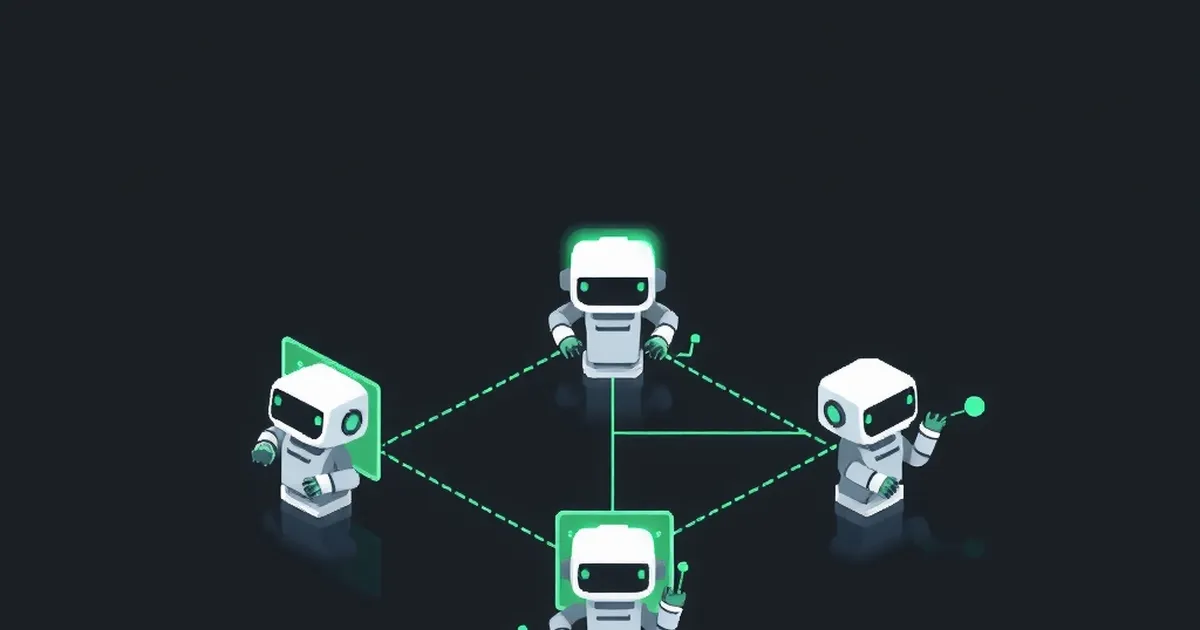
A chatbot answers. An agent acts. An always-on agent acts while you are away: you give it an outcome, it works out the steps, uses your apps and a computer of its own, and comes back when the job is done or when it needs a decision. The newest ones go a step further and come to you first, with a morning brief or an alert, before you have asked for anything.
Look past the branding and almost every agent in this guide is built from the same five parts:
- A computer of its own. A cloud machine or a sandbox with a browser, files and sometimes a terminal, so it can work without your laptop.
- Memory. Your preferences, past decisions and context, kept across sessions so you don't re-brief it every time.
- Connections. Access to your email, calendar, chat, CRM and files, increasingly through MCP, the open protocol most connectors now speak.
- Triggers. A schedule, a new email or a mention in Slack that starts work without you typing a prompt.
- Rules about when to ask. Approval before it sends, pays, signs or deletes. This is the part that separates a useful agent from a dangerous one.
The technology is converging fast. What still differs is where each agent lives, whose context it can see, who it is built for, and who controls it: a company you pay, or you.
The 2026 timeline
- 30 January: The open-source assistant first published as Warelay, then Clawdbot and Moltbot, takes its final name, OpenClaw, and goes viral.
- 14 February: OpenClaw's creator, Peter Steinberger, joins OpenAI, and stewardship passes to the new, independent OpenClaw Foundation.
- 11 August: xAI opens Grok Bot in beta, a roster of AI coworkers on a shared cloud computer.
- August: CopilotKit releases OpenBot, an MIT-licensed, self-hosted “open-source Grok Bot”.
- 30 August: OpenClaw 2.0 ships with easier setup, a redesigned interface and shared cloud sessions.
- 8 September: Meta launches Muse, a personal agent for everyday life.
- Mid-September: Asana includes AI Teammates and Dash in its paid Agentic Work Management tiers at no change in tier price.
- 28 September: xAI launches Team Bots, shareable Grok Bots for whole teams. Manus launches Manus 2.0 and its Cue app the same day.
- 29 September: OpenAI launches dots at DevDay.
- 21 October: Anthropic opens a research preview of Claude Duet, a proactive agent for Claude Pro and Max users in the US.
Quick picks: which AI agent for which job
| If you want… | Start with | Why |
|---|---|---|
| A chief of staff for your inbox and calendar | Claude Duet | Morning brief, then quiet until something needs you; asks before it sends, pays, signs or deletes. US, Pro and Max only for now. |
| An agent your whole team can hand work to in Slack or Teams | ChatGPT Dots | Context follows it across ChatGPT, Slack, Microsoft Teams and voice; available outside the US. |
| Several specialist agents working together | Grok Bot | A roster of named bots that hand work to each other and learn from a screen recording. |
| Help with personal life admin | Meta Muse | Bookings, bills, forms and shopping, in its own app and WhatsApp. US only. |
| An agent that can call people and pay for things | Manus Cue | Each agent gets its own email, phone number, wallet and computer. |
| Agents inside the work your team already tracks | Asana AI Teammates | Reads the team's real goals, projects and history. |
| A free personal assistant in WhatsApp or Telegram that you host | OpenClaw | The biggest open-source agent community; any model; your data on your hardware. Needs technical care. |
| A long-running agent that gets better with use | Hermes Agent | Writes and improves its own skills, remembers you, runs on a cheap server. |
| Finished work on your desktop with strict guardrails | OpenWorker | Approval-gated, logged and sandboxed by design; strong on security reviews. |
| Company agents on your own servers, with an audit trail | OpenBot by CopilotKit | Every action decided before it happens and recorded after; plug in any AG-UI agent. |
| Codex, Claude Code and Gemini as a team on your own computer | OpenBot (openbot.run) | Free desktop app using the AI plans you already pay for. Noncommercial licence. |
Hosted agents are the easy route: no servers, no setup, and someone else keeps them secure and up to date. The trade-off is that your data, logins and history live on that company's servers, on its terms, and you get the models and features it chooses.
1. Claude Duet: the agent that decides what needs you
Anthropic was the last of the big labs to ship an always-on agent, and it used the wait to pick a different emphasis: judgement about when to interrupt. Claude Duet, opened as a research preview on 21 October, sends a short brief each morning on what most needs your attention across your email and calendar, drafts the first steps, then goes quiet until something genuinely needs a decision. Its demo screen sums it up: five things in progress, two that need you.
You message it like a person, by text or voice note, in one ongoing thread. It inherits the memory, skills and connectors you already use in Claude (Gmail, Google Calendar, Drive, Slack, QuickBooks, HubSpot, Docusign, Calendly and more), works on its own computer in the cloud, and returns bigger jobs as files: a research brief, a deck, a dashboard, a financial model. Anthropic built it for professionals and small business owners, and its examples show it: chasing unpaid Stripe invoices, preparing payroll for review, getting contracts ready to send. It asks before it sends a message, makes a payment, signs a document or deletes anything, and purchases through Link or Shop Pay use a one-time card each time.
Access: Claude Pro and Max subscribers in the US, by waitlist, on iPhone, Android and the web at claude.ai. No extra cost during the preview, but it uses your plan's usage limits, background checks included. Team and Enterprise plans are not included yet.
A caution: during the preview you can't watch it work in its browser, it doesn't support Microsoft 365 yet, and Anthropic warns it may misjudge what's urgent or misread a thread.
Best for: US professionals and small business owners who already use Claude and run their day from Gmail and Google Calendar.
Read our full Claude Duet guide →
2. ChatGPT Dots: one persistent agent across your tools
Dots are always-on agents inside ChatGPT, powered by GPT-6 Astra. Each dot has its own cloud computer and browser, so it can research, analyse data, prepare documents and build software while your laptop is off. You can open its computer any time to watch.
A dot remembers your preferences and decisions, and that context follows it across ChatGPT, Slack, Microsoft Teams and voice calls. Start a project in ChatGPT, hand it to your team in Slack, and nobody needs re-briefing. It can connect to more than 4,000 apps, and OpenAI has also introduced ChatGPT Space, a shared layer where people, ChatGPT, Codex and dots work from the same files and context.
Access: Rolling out to ChatGPT Pro (excluding the EEA, Switzerland and the UK) and Business Premium in all supported regions. Enterprise, Edu and Healthcare workspaces get a beta once an admin enables it. Your first dot is included; chatting with it does not count toward usage limits.
Quick start: Create your dot on desktop (not mobile), name it, connect only the apps it needs, add Custom Rules for anything sensitive, give it a goal rather than a prompt, and monitor its work in Activity View.
Best for: People and teams already living in ChatGPT and Slack or Teams.
Read our full ChatGPT Dots guide →
3. Grok Bot and Team Bots: a roster of AI coworkers
xAI's Grok Bot, launched in beta on 11 August 2026, is not the Grok chatbot you tag on X. Instead of one assistant, you create a roster of named Bots, each with a role. They share one dedicated cloud computer with a browser, file system and terminal, each with its own screen so they can work in parallel. Authorise an account once and every Bot can use it.
Two to six Bots can share a group chat, messaging each other and handing off work. A standout feature, teach-a-task, lets you screen-record a workflow once and turn it into a reusable skill. On 28 September, xAI added Team Bots, so a configured Bot can be shared with the whole team, with launch templates for sales, marketing (brand review and SEO change sign-off) and data analytics.
Access: Included with SuperGrok, SuperGrok Plus, SuperGrok Heavy and several Cursor plans since 26 August 2026. Team Bots is in public beta on Teams and Enterprise plans.
Best for: Running several specialised agents that collaborate on shared context.
4. Meta Muse: a personal agent for everyday life
Muse is built for life admin rather than office work: schedules, shopping, bookings, bills, forms and long-term personal goals. It runs in its own app and in WhatsApp, on a dedicated virtual machine with a browser you can watch. A separate Sentinel agent governs every connector action and all outbound traffic, and Meta says Muse never sees your passwords or payment details.
Access: US only, for adults 18 and over, on iOS, Android, web and WhatsApp. Free tier, plus Power at US$20 a month and Maximum at US$100 a month.
A caution: By default, Meta can use your queries to its models, though you can switch that off. An encrypted mode is planned before year-end.
Best for: US users who want help running their personal life.
Read our full Meta Muse guide →
5. Manus 2.0 and Cue: agents that can act in the real world
Manus calls version 2.0 "not a version update" but a new architecture. At its core is Cascade, a new agent harness. Manus says Cascade cut tokens by 23.2%, time by 28.2% and cost by 32% in one tested configuration, though it has not explained the test and the figures are unverified. The release also adds event-triggered Automations (firing on email, calendar, Slack or Notion updates), a purchasable always-on Cloud Computer, and Manus Studio with new Video Editor and Game Dev workspaces.
The bigger story is Cue, a standalone app for personal agents. Each Cue agent gets its own email address, phone number, wallet and computer. It can send messages, take calls and summarise them, and pay for things within a budget you set. Several agents can share a group chat and split a job between them.
Access: Cue is in early access on web, desktop and mobile, with iOS pending App Store review. Pricing after early access has not been announced.
A caution: Days before launch, Salt Labs disclosed a prompt-injection flaw where a malicious email let researchers run code inside a victim's Manus environment and reach connected app tokens. It has been patched, but it is a clear reminder to connect only what an agent truly needs.
Best for: Tasks that require an agent to reach people or spend money on your behalf.
6. Asana AI Teammates: agents inside the team's actual work
Asana's philosophy is that most AI is single-player, trapped in one person's private chat. AI Teammates live inside Asana projects instead, where the whole team can see what they are doing. They draw on Asana's Work Graph, so they understand your goals, workflows and history rather than whatever you paste in.
AI Teammates became generally available in March 2026 with 21 prebuilt agents, including a Campaign Brief Writer, Launch Planner, Copywriter, Competitive Market Researcher, Brand Auditor, Status Reporter and Compliance Specialist, plus a no-code builder for custom ones. In June, Asana wrapped them into Agentic Work Management alongside Asana Dash, an AI chief of staff for every user. FedEx reports consolidating more than 24 intake forms into a single workflow, a 9x improvement in speed to market and over 1,200 hours reclaimed a year.
Access: Since mid-September 2026, a base level of AI Teammates and Dash is included in paid Agentic Work Management tiers, with heavier usage billed by consumption.
Quick start: Pick one painful handoff (campaign intake is a strong one), start with a prebuilt Teammate, tidy your project structure first, and track consumption in month one.
Best for: Teams whose work already runs through Asana.
Read our full Asana AI Teammates guide →
Every hosted agent above has an open-source answer, and some of the open-source projects came first. They share three promises: your data stays on hardware you control, you choose (and can switch) the model, and you can read every line of code. The catch is that you become the operator. Setup, updates and, above all, security are now your job. The software is free; the model it runs on usually isn't, and neither is your time.
We cover five projects people ask us about most. Star counts are from GitHub on 22 October 2026.
7. OpenClaw: the personal assistant that started the craze
OpenClaw is the open-source agent most people have heard of. First published in November 2025 by the Austrian developer Peter Steinberger, it went through several names (Warelay, Clawdbot, then Moltbot after trademark complaints from Anthropic) before settling on OpenClaw on 30 January 2026 and going viral. It now has more than 390,000 stars on GitHub. In February Steinberger joined OpenAI, and the project passed to the OpenClaw Foundation, an independent non-profit that employs the core team. OpenAI is a donor, not an owner.
OpenClaw runs on your own computer and meets you in the chat apps you already use: WhatsApp, Telegram, Slack, Discord, iMessage, Microsoft Teams, Signal and more than twenty others, with companion apps for macOS, iOS, Android, Windows and Linux. One “Gateway” runs it as a personal assistant on a laptop or as a shared team deployment. Models are plugins, so you can use Claude, OpenAI's models or a local model and swap without changing anything else. Its skills system (a folder with a SKILL.md file of instructions) and the ClawHub plugin hub have produced a huge community library. Small businesses and freelancers use it for jobs like prospect research, website audits and CRM updates.
Access: free, MIT-licensed, with no paid tier, hosted service or token. Install with a one-line script on macOS, Linux or Windows, then run the onboarding wizard.
A caution, and a big one: OpenClaw's power comes from broad permissions, and that is also its risk. Its own README says tools run on your computer for the main session unless you configure sandboxing, and that every inbound message should be treated as untrusted. Cisco's security researchers found a third-party skill that quietly exfiltrated data, one of OpenClaw's maintainers warned that it is “far too dangerous” for anyone who can't use a command line, China restricted its use in state agencies and banks in March, and The Register criticised version 2.0 for leaving secrets unencrypted at rest and the sandbox off by default. Treat ClawHub skills like unvetted software, because they are.
Best for: technical individuals who want a free, always-available assistant in their messaging apps, and teams with someone who can lock it down properly.
Listed in our AI Tools Directory.
8. Hermes Agent: the agent that learns on the job
Hermes Agent comes from Nous Research, an AI lab known for its open models, and its pitch is a built-in learning loop. After a complex task it can write a reusable skill from what it did, improve that skill each time it uses it, nudge itself to save what it learned, search its own past conversations, and build up a picture of who you are across sessions. Its skills follow the open agentskills.io standard. It has more than 250,000 stars on GitHub.
Hermes is built to live somewhere other than your laptop. Nous says it runs on a US$5 virtual server, a GPU cluster or serverless infrastructure that hibernates when idle and costs almost nothing between sessions, with local, Docker, SSH and several cloud back ends. You talk to it from a full terminal interface, a desktop app, or a single gateway that connects Telegram, Discord, Slack, WhatsApp, Signal and email, with voice-memo transcription. A built-in scheduler runs daily reports, nightly backups or weekly audits in plain language, and it can spawn sub-agents to work in parallel. It works with almost any model, through OpenRouter, OpenAI, your own endpoint or Nous's optional Portal subscription, which bundles models and tools such as web search and a cloud browser. There is even a command to migrate from OpenClaw.
Access: free and MIT-licensed. One-line installers for Linux, macOS and native Windows, plus an Android package for Termux.
A caution: this is a power-user tool, set up from the terminal, and an agent that writes its own skills is an agent whose behaviour changes over time. Review the skills it creates, keep it on a server with nothing else important on it, and give it the fewest accounts you can.
Best for: people who want one agent that runs for months, compounds what it learns, and is reachable from their phone.
Listed in our AI Tools Directory.
9. OpenWorker: finished work, governed by design
OpenWorker is an open-source “AI coworker” published under Andrew Ng's GitHub and built on aisuite, his library for working across model providers. It is the open-source project closest to Claude Cowork and ChatGPT Dots in spirit: you ask for an outcome, not an answer, and it delivers a finished file, a Slack reply with the numbers, or a triaged inbox. It has about 18,700 stars on GitHub and is in open beta.
Its first specialists are security coworkers: a Security Reviewer that runs scanners such as semgrep, triages findings by whether they are actually reachable and proposes fixes; a Cloud Posture reviewer for Terraform; and a Dependency Audit that proposes the smallest safe upgrade. It also ships coworkers for sales, an executive assistant, marketing and on-call operations, and you can describe any job to build your own. Work can start from a Slack mention, an incoming email or a schedule. It connects to more than 25 tools, including GitHub, Slack, Jira, Notion, Linear, HubSpot, Outlook, Gmail and Google Calendar, plus anything that speaks MCP.
What sets OpenWorker apart is how seriously it takes control. Some dangerous actions are human-only in every mode. Everything else is approval-gated by default, and one-off approvals can “graduate” into standing rules only through explicit, visible steps. Every tool call is logged with who approved it and why. Commands can run in a sandbox (an NVIDIA OpenShell container, the built-in macOS sandbox, or a locked-down Windows account) that holds the session's folders and nothing else, and unattended runs never approve themselves.
Access: free and MIT-licensed. A signed macOS app now, with early Windows builds that are not yet code-signed. Bring your own key for OpenAI, Anthropic, Google or more than ten other providers, or run fully local with Ollama. It is local-first: conversations, tokens and keys stay on your machine.
A caution: it is a beta, and the specialist coworkers beyond security are newer. Its governance is the best documented of the projects here, but approvals only help if someone reads them.
Best for: professionals and teams who want Cowork-style finished work on their own machine with strict guardrails, and security teams in particular.
Listed in our AI Tools Directory.
10. OpenBot by CopilotKit: governed AI coworkers on your own servers
OpenBot comes from CopilotKit, the company behind the AG-UI protocol for agent interfaces, and it is the most enterprise-minded project here. It is an MIT-licensed agent platform that runs inside your own infrastructure: Docker Compose brings up every part, your data sits in your own PostgreSQL database, and you supply the model key. It has about 6,900 stars on GitHub.
The design borrows Grok Bot's best idea and adds governance. Each AI coworker gets a computer of its own: a real browser with its own logins, its own files, and only the tools you grant. Every action it takes against a computer, a file, an MCP server or an interface component passes through one gateway that decides it before it happens and records it after, including refusals and failures. You can watch a coworker work on its own screen, take the wheel when it reaches something it shouldn't do alone, then hand it back. Because a “bot” is anything that speaks AG-UI, agents built with LangGraph, Mastra, CrewAI, Pydantic AI, Google's ADK or written by hand all plug in the same way. A fresh install starts with a General Assistant and a Knowledge bot for company questions, and the repository carries a catalogue of more, from expense-claim review to on-call handovers.
Access: free and open source. It needs Docker, Bun, a model key and a CopilotKit Intelligence project (a free plan is available, and Intelligence can be self-hosted). CopilotKit also offers to build it inside your company for you.
A caution: CopilotKit calls OpenBot alpha software and “a template, not a product”: there is no hosted version, and you are expected to clone it and make it your own. Out of the box it runs as a single administrator with no sign-in, so set up sign-in before anyone else can reach it.
Best for: companies with an engineering team that need agents on their own infrastructure, with an audit trail, and can't send their data to a hosted agent.
Listed in our AI Tools Directory.
11. OpenBot (openbot.run): your coding agents as a team, on your desktop
A different project with the same name, OpenBot from openbot.run is a free desktop app for macOS, Windows and Linux that turns the coding agents you already have into a team. Each agent gets its own name, instructions and workspace, and agents message each other, hand off tasks and share files, the way Grok Bot's bots do. It runs Codex, Claude Code, Gemini, Grok, OpenCode, Cursor and Cline using the plans you already pay for, or any OpenAI-compatible endpoint or local model through Ollama or LM Studio. An agent keeps its workspace and conversation even when you switch it to a different provider. It has a built-in browser, a queue for work while an agent is busy, and phone apps (Android, with an iPhone beta) that connect back to your computer. Workspaces, conversations and browser data stay on your machine.
Access: free, with no locked features. For companies, “OpenBot for Teams” is a managed service that runs it on servers set up around your team.
Two cautions before you use it at work. First, the licence: the code is public under the PolyForm Noncommercial licence, so you can read, change and run it for noncommercial purposes, but commercial use needs a separate licence. Second, it is a development preview in which agents can read and change files, run commands and use the network without asking each time. Give it only tasks you trust, and keep backups.
Best for: developers and tinkerers who want their existing coding agents to collaborate on one machine, for personal or noncommercial projects.
Listed in our AI Tools Directory.
Hosted agents side by side
| Built for | Where it lives | Standout feature | Access | |
|---|---|---|---|---|
| Claude Duet | Professionals and small business owners | Duet app (iPhone, Android), web | Morning brief; asks before it sends, pays, signs or deletes | US, Claude Pro and Max, waitlist |
| ChatGPT Dots | Individuals and teams | ChatGPT, Slack, Teams, voice | Context that follows you across channels | Pro (not EEA/CH/UK), Business Premium; Enterprise beta |
| Grok Bot / Team Bots | Individuals and teams | Shared cloud computer | Multi-bot group chats, teach-a-task | SuperGrok and Cursor plans; Team Bots beta |
| Meta Muse | Consumers | Muse app, web, WhatsApp | Personal goals and life admin | US only; free, US$20, US$100 |
| Manus Cue | Individuals | Cue app (web, desktop, mobile) | Own email, phone number and wallet | Free early access |
| Asana AI Teammates | Teams | Inside Asana projects | Reads the team's real work structure | Base level in paid AWM tiers |
Access for Dots, Grok Bot, Muse, Cue and Asana checked on 30 September 2026; Claude Duet on 22 October 2026.
Open-source agents side by side
| OpenClaw | Hermes Agent | OpenWorker | OpenBot (CopilotKit) | OpenBot (openbot.run) | |
|---|---|---|---|---|---|
| Made by | OpenClaw Foundation | Nous Research | Andrew Ng's GitHub (built on aisuite) | CopilotKit | nightly-labs on GitHub |
| Licence | MIT | MIT | MIT | MIT | PolyForm Noncommercial |
| Runs on | Your computer or a server | A server, VPS or serverless | Your desktop (macOS; Windows coming) | Your infrastructure (Docker) | Your desktop (macOS, Windows, Linux) |
| You talk to it in | WhatsApp, Telegram, Slack, iMessage and 20+ more | Terminal, desktop app, Telegram, Slack, WhatsApp, Signal, email | Desktop app, Slack | Web app channels | Desktop app, phone apps |
| Models | Any, as plugins | Any | Any, or local via Ollama | Your own key; any AG-UI agent | Your Codex, Claude Code, Gemini, Grok plans, or local |
| Safety model | Pairing for unknown senders; sandbox optional | Isolated back ends; you review its skills | Hard floors, approvals, audit trail, sandbox | Gateway decides and records every action | No per-action approvals (preview) |
| Maturity | Version 2.0, huge community | Active, widely used | Open beta | Alpha, a template | Development preview |
| Best for | A personal assistant in your chats | A long-running agent that learns | Governed, finished work | Company agents with an audit trail | Coding agents as a team |
Hosted or open source? How to decide
| Hosted (Duet, Dots, Grok Bot…) | Open source (OpenClaw, Hermes, OpenWorker…) | |
|---|---|---|
| Setup | Minutes; sign in and connect apps | From a one-line installer to a full engineering project |
| Cost | A subscription, sometimes with usage limits | Software free; you pay for the model, the server and your time |
| Your data | On the provider's servers, under its terms | On hardware you control |
| Model choice | Theirs | Yours, including local models |
| Security | The provider's job (and its guardrails) | Your job, from sandboxing to updates |
| Audit trail | Whatever the product shows you | As deep as you configure it |
| Availability | Region and plan limits apply | Anywhere you can run it |
Our rule of thumb: if nobody on your team can explain what a sandbox, an API key and a firewall rule are, start hosted. If your data can't leave your own servers, if you need an audit trail you control, or if the hosted agent you want isn't sold in your country, open source is worth the effort, provided someone owns its security.
Open-source licences in plain English
“Open source” on a landing page doesn't always mean what businesses assume. Two licences matter in this guide:
- MIT (OpenClaw, Hermes Agent, OpenWorker, CopilotKit's OpenBot): one of the most permissive licences there is. You can use, change, sell and build on the code, commercially or not, as long as you keep the copyright notice. There is no warranty: if it breaks, it's on you.
- PolyForm Noncommercial (openbot.run's OpenBot): the code is public, and you can read, change and run it, but only for noncommercial purposes. Using it in a business needs a separate commercial licence. This is “source-available”, not open source as the Open Source Initiative defines it.
One more distinction: a licence covers the agent's code, not the model it calls. If your open-source agent sends work to a hosted model, that provider's terms and data policies still apply.
The security reality of AI agents
Every agent in this guide reads things other people wrote: emails, web pages, documents, chat messages. Any of those can carry hidden instructions meant to hijack the agent. This is called prompt injection, and nobody has solved it. Days before Manus launched Cue, Salt Labs showed a malicious email running code inside a victim's Manus environment (since patched). Anthropic says plainly of Claude Duet that “no defense is perfect”. Cisco found a third-party OpenClaw skill exfiltrating data without the user knowing.
So the question isn't whether an agent can be fooled. It's how much damage it can do when it is. The best designs here share five habits, and they are worth demanding from any agent you adopt:
- Approval before anything consequential. Duet and OpenWorker gate sending, paying, deleting and running commands behind a human yes; Muse routes every connector action through a separate Sentinel agent.
- Hard floors. Some actions should never be automated, even with approval. Duet refuses to trade securities or move money between accounts; OpenWorker keeps a set of dangerous operations human-only in every mode.
- A box around the work. A sandbox or a separate cloud computer that holds only what the task needs, so an injected instruction lands somewhere with nothing to steal.
- Secrets kept out of reach. Duet has you type passwords into a separate form; Muse says it never sees payment details; CopilotKit's OpenBot keeps credentials encrypted and out of its logs.
- A record of everything. An activity log you actually read, showing what the agent did and who approved it.
If a tool runs commands on your own machine without a sandbox (OpenClaw's main session unless you configure one) or acts without asking each time (openbot.run's preview), that is a choice you are making for it. Make it deliberately, on a machine and accounts you can afford to lose.
How to choose
Where does your work already happen? An agent is only as good as the context it can see. If your team plans in Asana, Teammates will understand your work better than any outside agent. If you live in ChatGPT and Slack, a dot fits naturally. If your day runs through Gmail and you already use Claude, Duet starts with everything Claude knows about you.
Is the job personal or shared? Muse, Cue, Claude Duet, OpenClaw and Hermes lean personal. Asana Teammates, Team Bots, ChatGPT Space and CopilotKit's OpenBot lean team.
Do you need to own it? If your data can't leave your own servers, you need an audit trail you control, or the hosted agent isn't sold where you are, look at the open-source agents, and budget for someone to run them properly.
How much can you afford to get wrong? Agents with wallets, phone numbers, shell access and edit rights can do real damage. Match the agent's permissions to the cost of its worst mistake, not its best day.
A 30-day pilot plan for any AI agent
- Week 1: pick one job and one owner. Choose a recurring, low-risk task that eats real time (a weekly report, meeting briefs, inbox triage). Name the person who reviews the agent's work. Measure how long the job takes today.
- Week 2: connect the minimum. Give the agent only the accounts that one job needs. Keep human approval on anything that sends, publishes, pays or deletes. Read every action in its log.
- Week 3: tune, don't expand. Correct its mistakes in plain words, write down its standing rules, and resist adding a second job until the first one is reliable.
- Week 4: decide with numbers. Compare time saved against time spent reviewing. Keep it, widen it to a second job, or switch agents. Write down what the agent owns, exactly as you would for a new hire.
The short safety checklist: one job at a time; the fewest accounts possible; approval on anything that sends, publishes or pays; a weekly read of the activity log for the first month; and a written list of what the agent owns.
Not sure which job to hand an agent first? Map one workflow and see which steps are worth delegating.
Open the free Workflow Mapper →The real shift
The headline features will keep changing, and prices and regions will shift within weeks. The lasting change is in the skill that matters. We are moving from prompting AI to managing it: setting clear goals, granting sensible permissions, reviewing output and deciding what never gets delegated. The teams that win this next phase will not be the ones with the most agents. They will be the ones who manage them best.
What this means for teams in Sri Lanka, Singapore and beyond
At Cocoon, we train professionals and corporate teams across Sri Lanka, Singapore and other markets, and these launches confirm what we see in every cohort. Tools arrive faster than habits change. Unlike Muse and Claude Duet, which are US-only for now, several of these agents can already be used outside the US (dots, for example, are open to Pro users in Sri Lanka and Singapore, and Grok Bot comes bundled with SuperGrok and Cursor subscriptions many developers already pay for), but very few teams have decided what they would actually hand over. And the open-source agents (OpenClaw, Hermes Agent, OpenWorker and OpenBot) run wherever you can run them, which makes them the only option for some regulated teams.
That gap is what Cocoon's programmes are built to close:
- Map before you automate. Participants learn to break their own workflows into steps and spot the ones worth delegating, using tools like our free Workflow Map.
- Build, not just watch. A full week is dedicated to automation, agents and apps, covering how multi-agent setups, like Grok Bot's group chats where Bots hand work to each other, are designed, and cohorts finish with a hackathon and demo day where they ship real solutions.
- Use AI safely. Ethics, data boundaries and manipulation risks are core modules, supported by our Scam Shield and AI Policy labs.
- Leave with a plan. Every participant builds a 90-day roadmap for putting AI to work in their role, with domain tracks for HR, Finance, Sales and Marketing, and Operations.
If these launches have you wondering which agent your team should try first, start with the free labs at mycocoon.life/free, or get in touch about a programme built around always-on agents for your team.
Frequently asked questions
What is an always-on AI agent?
An AI assistant that keeps working when you are not talking to it. It has its own computer, remembers your preferences, connects to your apps, can start work on a schedule or trigger, and asks before doing anything risky, such as sending, paying or deleting.
Which always-on AI agents launched in 2026?
xAI's Grok Bot (beta, 11 August), Meta Muse (8 September), paid-tier Asana AI Teammates and Dash (mid-September), xAI Team Bots and Manus 2.0 with its Cue app (28 September), OpenAI's dots in ChatGPT (29 September) and Anthropic's Claude Duet (research preview, 21 October). On the open-source side, OpenClaw took its name and went viral in January, shipped version 2.0 on 30 August, and CopilotKit released OpenBot in August.
What is the best AI agent in 2026?
It depends on where your work lives. Claude Duet for a Gmail-and-calendar chief of staff (US only for now), ChatGPT Dots for teams in Slack or Microsoft Teams, Grok Bot for several agents working together, Meta Muse for personal life admin in the US. For open source: OpenClaw for a personal assistant in your chat apps, Hermes Agent for a long-running agent that learns, OpenWorker for governed finished work, and CopilotKit's OpenBot for company agents with an audit trail.
What are the best open-source AI agents?
OpenClaw (MIT, the largest community, a personal assistant in WhatsApp, Telegram, Slack and 20+ channels), Hermes Agent from Nous Research (MIT, writes and improves its own skills), OpenWorker (MIT, approval-gated desktop coworker), and OpenBot by CopilotKit (MIT, self-hosted coworkers with an audit trail). OpenBot from openbot.run is free but under a noncommercial licence.
Is there an open-source alternative to Grok Bot?
Yes. CopilotKit's OpenBot is the closest match: MIT-licensed, self-hosted, each AI coworker gets its own computer, and every action is decided before it happens and recorded after. OpenClaw and Hermes Agent are popular open-source personal agents, and OpenBot from openbot.run runs a team of coding agents on your desktop under a noncommercial licence.
What is the difference between OpenClaw and Hermes Agent?
OpenClaw is a personal assistant that lives in your messaging apps and runs on your own computer, with a huge skills ecosystem. Hermes Agent, from Nous Research, is built to run long-term on a server and improve itself: it writes and refines its own skills and builds a model of you across sessions. Both are MIT-licensed and work with any model, and Hermes can migrate an OpenClaw setup.
What is OpenWorker?
OpenWorker is an MIT-licensed open-source AI coworker for the desktop, published under Andrew Ng's GitHub. It delivers finished work such as security reviews with fixes, documents and Slack replies, works with any model or fully local, and is approval-gated, logged and sandboxed by design. It is in open beta.
What is Claude Duet?
Claude Duet is Anthropic's proactive agent, opened as a research preview on 21 October 2026. It briefs you every morning on your email and calendar, takes on tasks by message, works on its own cloud computer, and asks before it sends, pays, signs or deletes anything. It is for Claude Pro and Max subscribers in the US, by waitlist.
Are open-source AI agents free?
The software usually is, but running it isn't. You pay for the model it calls (unless you run a local model), any server it runs on, and the time to set it up and keep it secure. Check the licence too: MIT allows commercial use, while openbot.run's PolyForm Noncommercial licence does not.
Are AI agents safe to use?
They can be, with limits. Every agent that reads email or web pages can be manipulated by prompt injection, and no one has fully solved it. Choose agents that ask before sending, paying or deleting, keep secrets out of the chat, work in a sandbox, and keep an activity log, then connect only the accounts each job needs.
Which AI agents can I use in Sri Lanka or Singapore?
Claude Duet and Meta Muse are US-only for now. ChatGPT Dots are open to ChatGPT Pro users in Sri Lanka and Singapore, Grok Bot comes with SuperGrok, Claude Cowork is on every paid Claude plan, and the open-source agents run anywhere you can run them.
How should a team start with AI agents safely?
Start with one recurring, low-risk job, connect the minimum number of accounts, keep human approval on anything that sends, publishes or pays, and review the agent's activity log weekly for the first month.
Sources
Star counts checked on GitHub on 22 October 2026.
ChatGPT Dots
- Introducing dots, OpenAI
- Getting started with your dot, OpenAI Help Center
- Meet dots, ChatGPT docs
- OpenAI launches Dots, SiliconANGLE
- OpenAI launches Dots and ChatGPT Space, VentureBeat
- OpenAI launches Dots, its bubbly agentic avatar, TechCrunch
Manus 2.0 and Cue
- Manus Expands AI Tools in Renewed Push Into Agent Market, Bloomberg
- Manus Gives Cue Agents Their Own Phone Numbers and Wallets, Implicator.ai
- Manus 2.0 and Cue give AI agents their own email, phone and wallet, The Next Web
- Manus 2.0 and Cue: What Manus Launched on Sept 28, CellCog
Asana AI Teammates
- Asana AI Teammates overview, Asana
- Asana Unveils Operating System for Human-Agent Teams, Asana press release
- Asana launches AI-powered products to manage human and agent work, SiliconANGLE
- Asana AI Teammates Are Now Included in Paid Tiers, MPUG
- Asana Launches AI Teammates, Cloudfresh
Grok Bot and Team Bots
- Team Bots: AI coworkers that learn from your team, xAI
- xAI Launches Grok Bot, Unite.AI
- A Guide to Grok Bot, Composio
- Grok Bot Explained: xAI's Always-On AI Agents, AY Automate
- Grok Bot Explained: xAI's Agent vs the @grok Chatbot, Layer3 Labs
Meta Muse
- Meta launches personal AI agent, Muse, PBS NewsHour
- Meta debuts its Muse AI agent. Will consumers trust it?, TechCrunch
- Meta debuts Muse, its long-planned personal AI agent, Axios
- Meta pushes into personal AI agents, CNBC
- Meta Muse Explained, Edapt
Claude Duet
- Claude Duet, Anthropic
- Get started with Claude Duet, Claude Help Center
- Anthropic takes on ChatGPT Dots and Meta Muse with Claude Duet, 9to5Mac
- Anthropic Launches Claude Duet, a Proactive AI Agent, MacRumors
OpenBot
- OpenBot repository and README, CopilotKit on GitHub
- CopilotKit OpenBot Gives Each Agent a Computer, Zentor
- OpenBot desktop app (a separate project), openbot.run
- openbot.run source and licence, GitHub
OpenClaw
- OpenClaw repository and README, GitHub
- OpenClaw, official site
- OpenClaw, Wikipedia (history, security reporting, version 2.0)
Hermes Agent
- Hermes Agent repository and README, Nous Research on GitHub
- Hermes Agent documentation, Nous Research
OpenWorker
Not sure which job to hand an agent first? Map one workflow and see which steps are worth delegating.
Open the free Workflow Mapper →