How Automations Work: Triggers, Actions, Filters and the Data In Between
Strip away the logos and the pricing pages, and every automation tool you have heard of is doing the same thing. Something happens. Data about it flows down a wire. Blocks along the wire do things with that data. That is it. Once you see it, you can read any automation, in any tool.
We built the Automation Lab to make that visible. It is a drag-and-drop canvas inside a pretend company, Sunrise Coffee Co., where every email, spreadsheet row and message is simulated, so you can break things safely. Here are the building blocks, using its real screens.
1. The trigger: something happens
Every automation starts with a trigger. A new email arrives. A form is submitted. An order is placed. It is 9 AM on Monday. The trigger fires once per event, and it carries the details of that event with it.
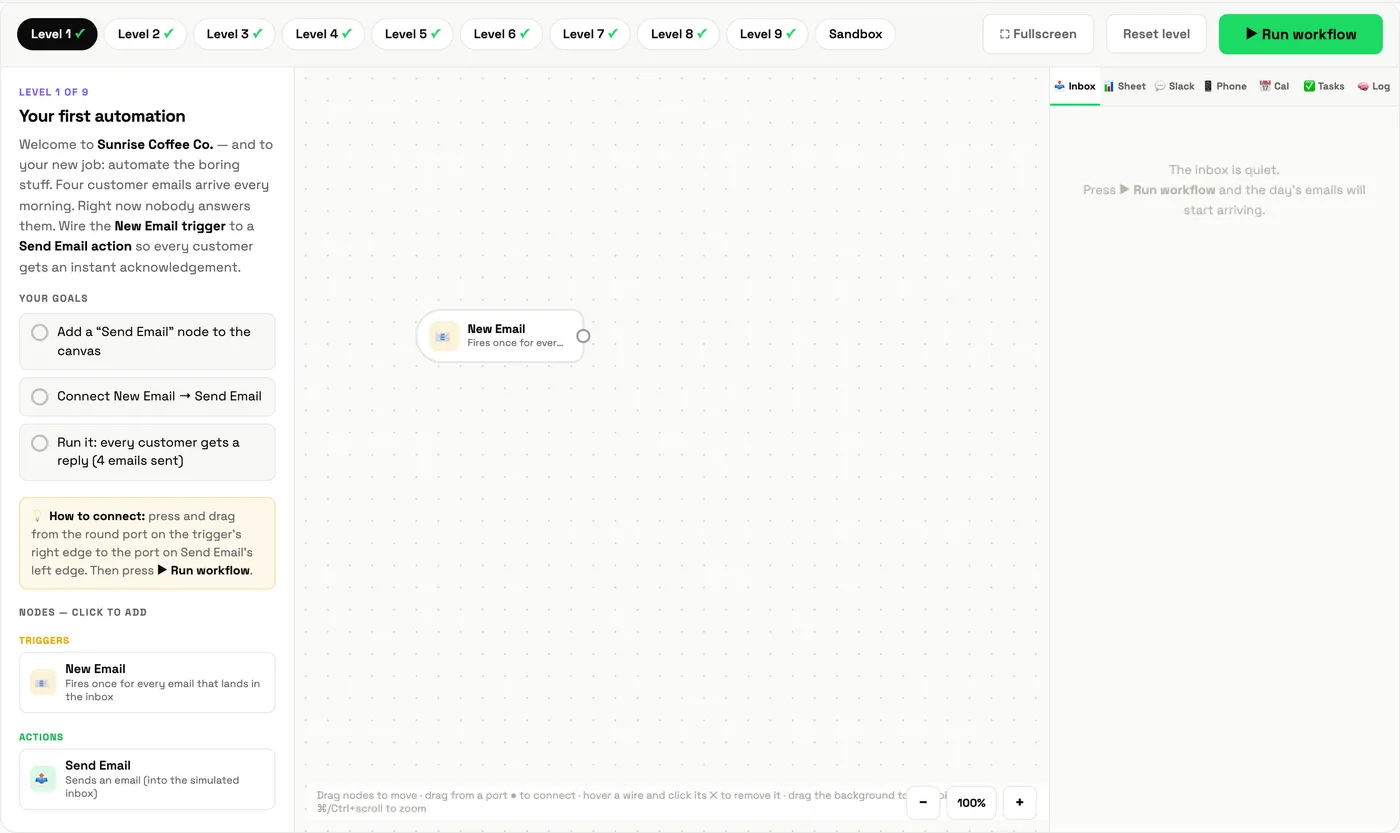
2. The data: the part people miss
When an email triggers an automation, it does not send "an email" down the wire. It sends fields: the sender's name, their address, the subject, the body. In most tools these appear as placeholders like {{name}} and {{subject}}. Every block after the trigger can use them.
This is why one automation can send a thousand personalised replies. The reply template says "Hi {{name}}", and each item fills in its own name as it passes through.
3. The action: do something
An action is what the automation does: send an email, add a spreadsheet row, post in Slack, create a task, book a calendar event, call another system through a webhook. Connect the trigger to an action and you have a complete automation.
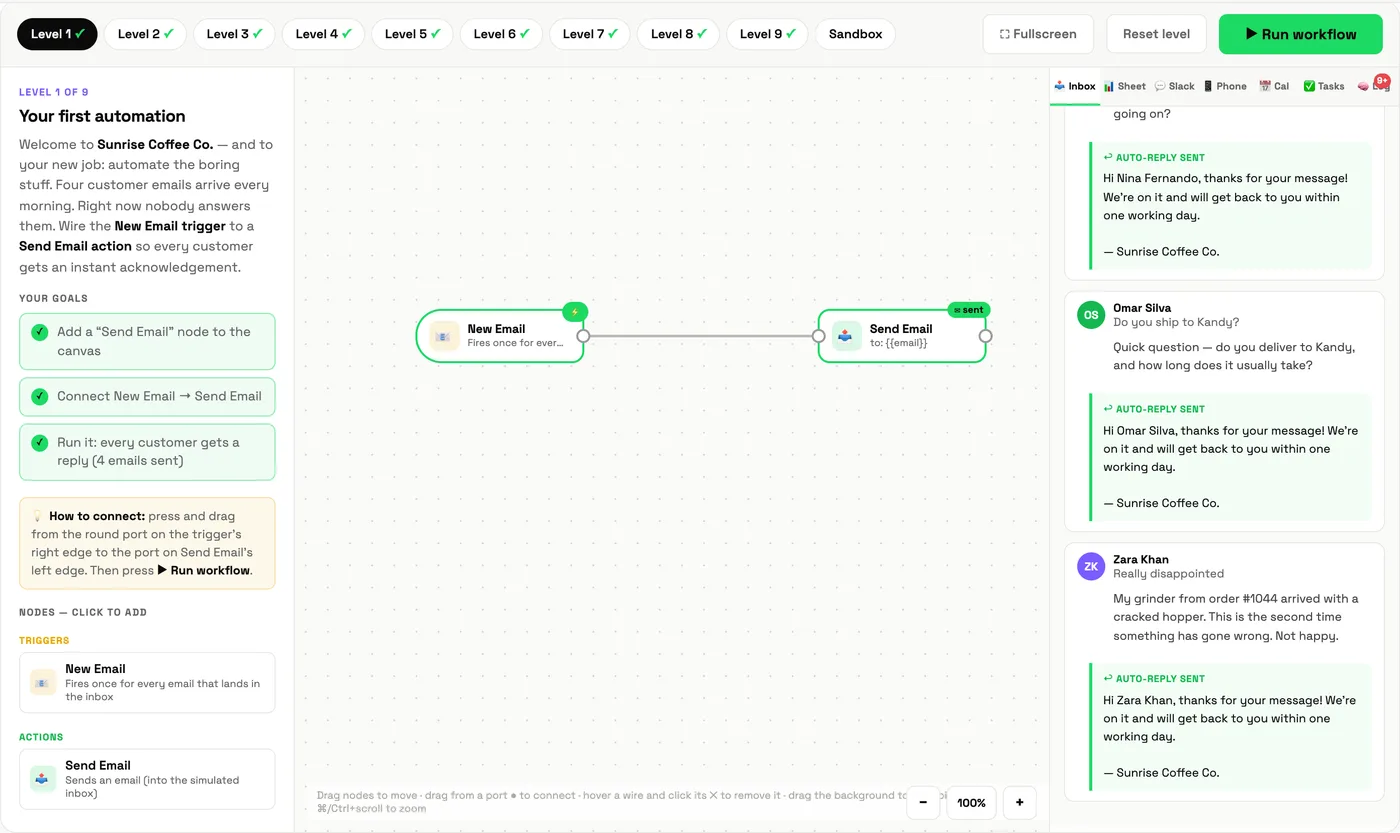
When you finish Level 1, the lab says it plainly: that wire is the whole idea behind every automation tool. Everything else is refinement.
4. Filters and branches: not everything gets the same treatment
Replying the same thing to everyone looks lazy. So you add logic:
- A filter is a gate. Only items that match a condition (the body contains "refund") continue. The rest stop quietly.
- A branch sends items down more than one path. One output can feed several wires at once.
- An If / Else is a fork: matches go one way, everything else the other, and nothing is thrown away.
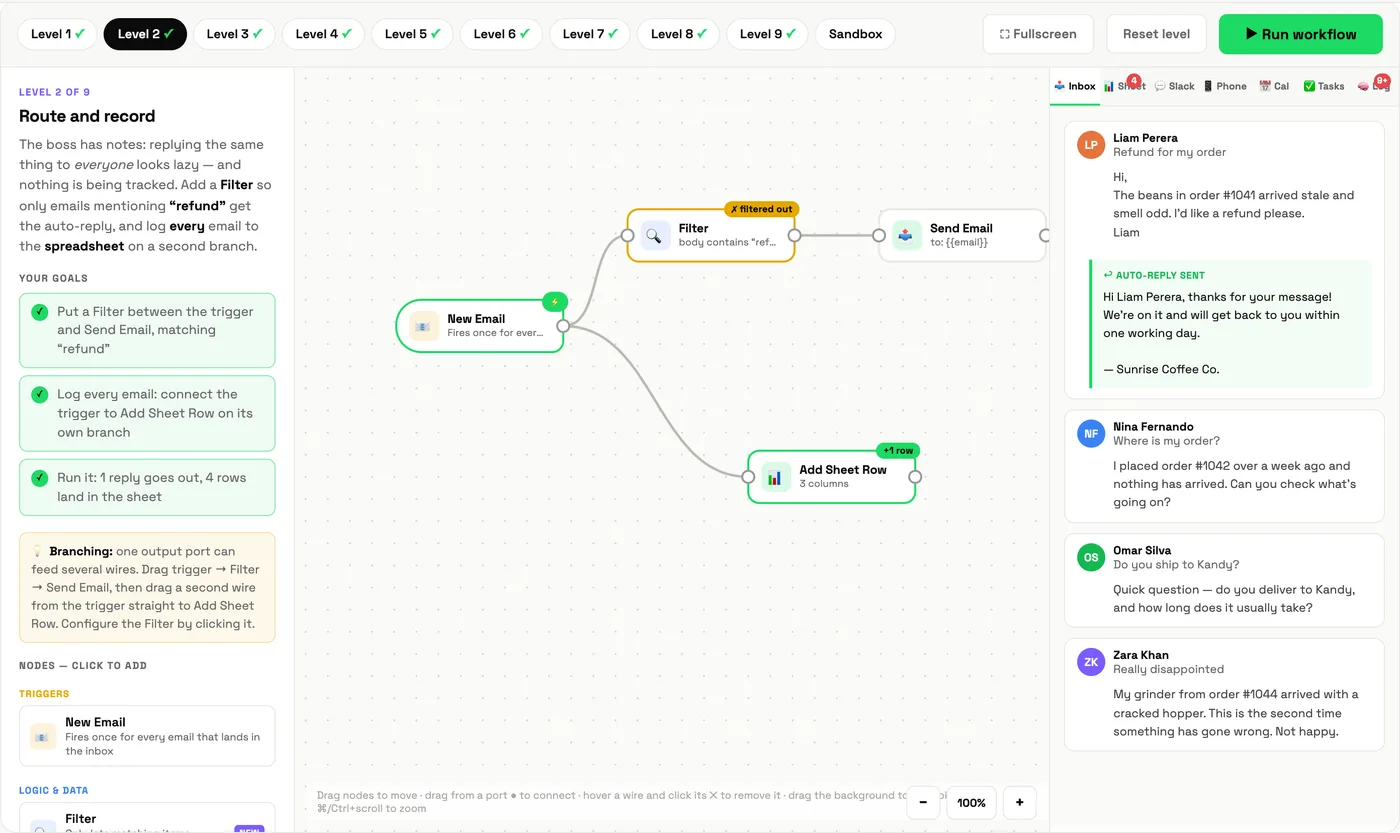
This filter-and-branch pattern covers most real business automations. Route leads by region. Alert the team only for complaints. Log everything, reply to some.
5. Where AI fits
Everything so far follows fixed rules. That is powerful but rigid: a rule cannot read an angry email and write something kind. That is where an AI agent step comes in, a block that reads each item, decides what it is, and writes a response. The lab introduces it in Level 3, and we cover the difference properly in AI agents vs automations.
How to design an automation before you build it
- Name the trigger precisely. "When a form is submitted" is buildable. "When a client is ready" is not.
- List the fields you have. If the data you need is not in the trigger, you need a lookup step.
- Write the rule for each branch as a sentence: "if the body contains refund, reply; always log."
- Decide what happens when it goes wrong. What if the field is empty? Who hears about it?
- Map it first. The Workflow Mapper tells you which steps are worth automating at all.
Ready to try? Our walkthrough of Levels 1 to 5 shows every mission and its solution.
Learn it with Cocoon
We use the Automation Lab in our workshops because people learn automation by building it, not by watching a demo. Cocoon's trainers then take teams from the simulated coffee shop to their own tools and processes, with support along the way. It is why organisations across the region trust Cocoon as their AI training and upskilling company. See our programmes or book a call.
Frequently asked questions
What is an automation?
An automation is a set of steps that runs by itself when something happens. It has a trigger (the event that starts it), one or more actions (what it does), and usually some logic in between, such as filters and branches, that decides what happens to each item.
What is the difference between a trigger and an action?
A trigger is the event that starts the automation, such as a new email or a form submission. An action is something the automation does in response, such as sending a reply, adding a spreadsheet row or posting a message.
What are filters and branches in automation?
A filter lets only matching items continue, for example emails that mention "refund". A branch sends the same item down more than one path, or down a Yes or No path, so different items get different treatment.
Do I need to code to build automations?
No. Visual workflow builders let you connect triggers and actions by dragging wires between blocks. The Cocoon Automation Lab teaches the same ideas in a safe simulated company so you can practise before using real tools.
Build your first automation in the browser in about two minutes. No account, no code, nothing to install.
Open the Automation Lab →