Automation Lab Levels 6 to 10: Tools, Pro Prompts, Cleanup and Two Agents
By the end of Level 5 your agent writes beautifully. The problem is that it guesses. The second half of the Automation Lab is about turning a clever demo into something you would trust with real customers.
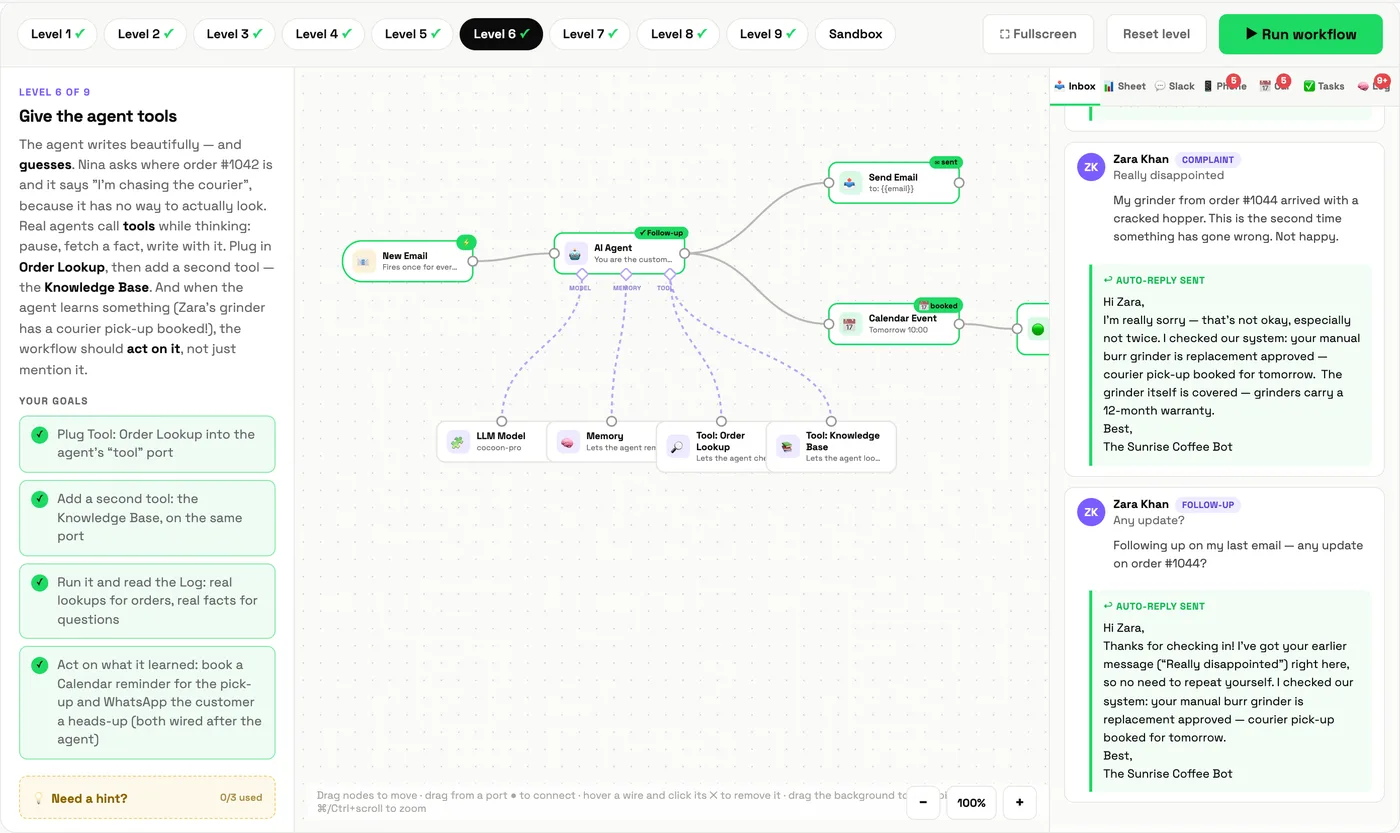
Level 6: Give the agent tools
Mission: Nina asks where order #1042 is, and the agent says "I am chasing the courier." It has no way to actually look. Plug in two tools, Order Lookup and a Knowledge Base, then make the workflow act on what the agent learns: book a follow-up in the calendar and send the customer a WhatsApp.
What you learn: tools are what separate an agent from a chatbot. The agent decides which tool each email needs, calls it, and answers with facts. The Log tab shows every lookup.
Level 7: Prompt like a pro
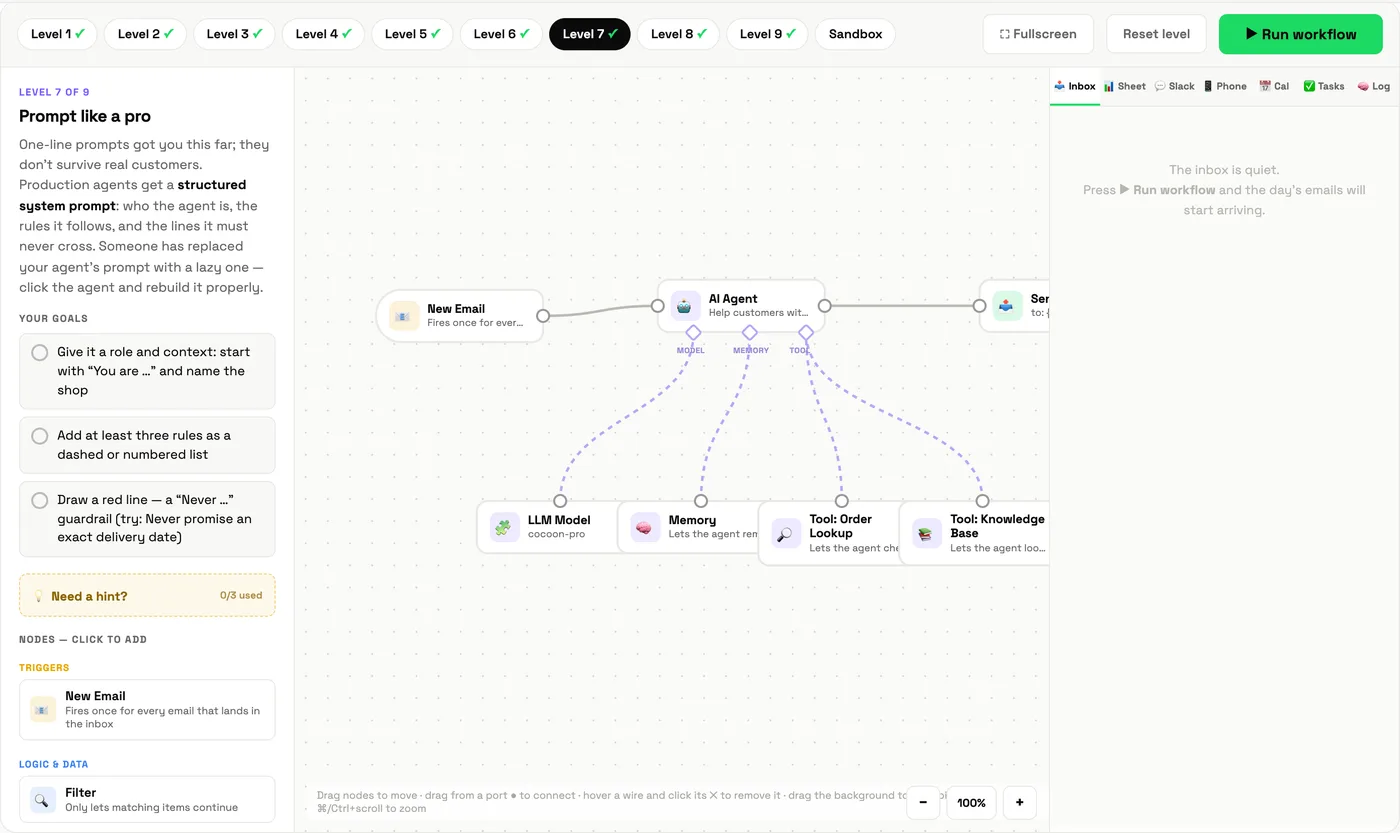
Mission: someone replaced the agent's prompt with a lazy one-liner. Rebuild it properly: a role and context ("You are... at Sunrise Coffee Co."), at least three rules as a list, and a "Never..." guardrail, such as never promising an exact delivery date.
What you learn: production prompts have structure. Role, rules, red lines. The guardrail visibly changes replies: add "never promise" and shipping answers stop committing to dates you cannot keep.
Level 8: The cleanup
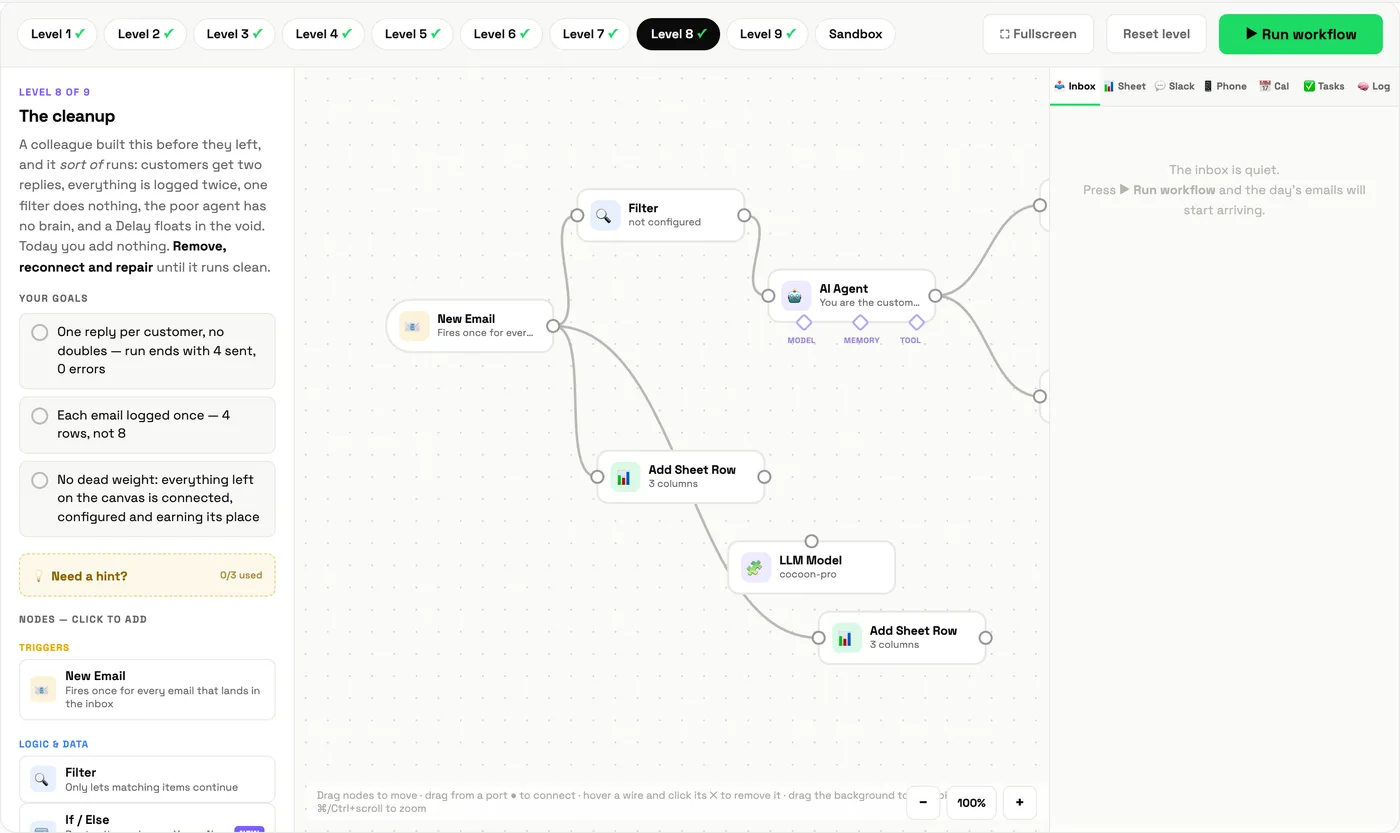
Mission: a colleague built this before they left. It sort of runs: customers get two replies, everything is logged twice, one filter does nothing, the agent has no model, and a delay sits in the corner going nowhere. Remove, reconnect and repair until it runs clean.
What you learn: the job nobody advertises. Most automation work in real companies is maintaining things someone else built. The goals reward deleting: one reply per customer, one log row each, no dead weight.
Level 9: Two agents are better than one
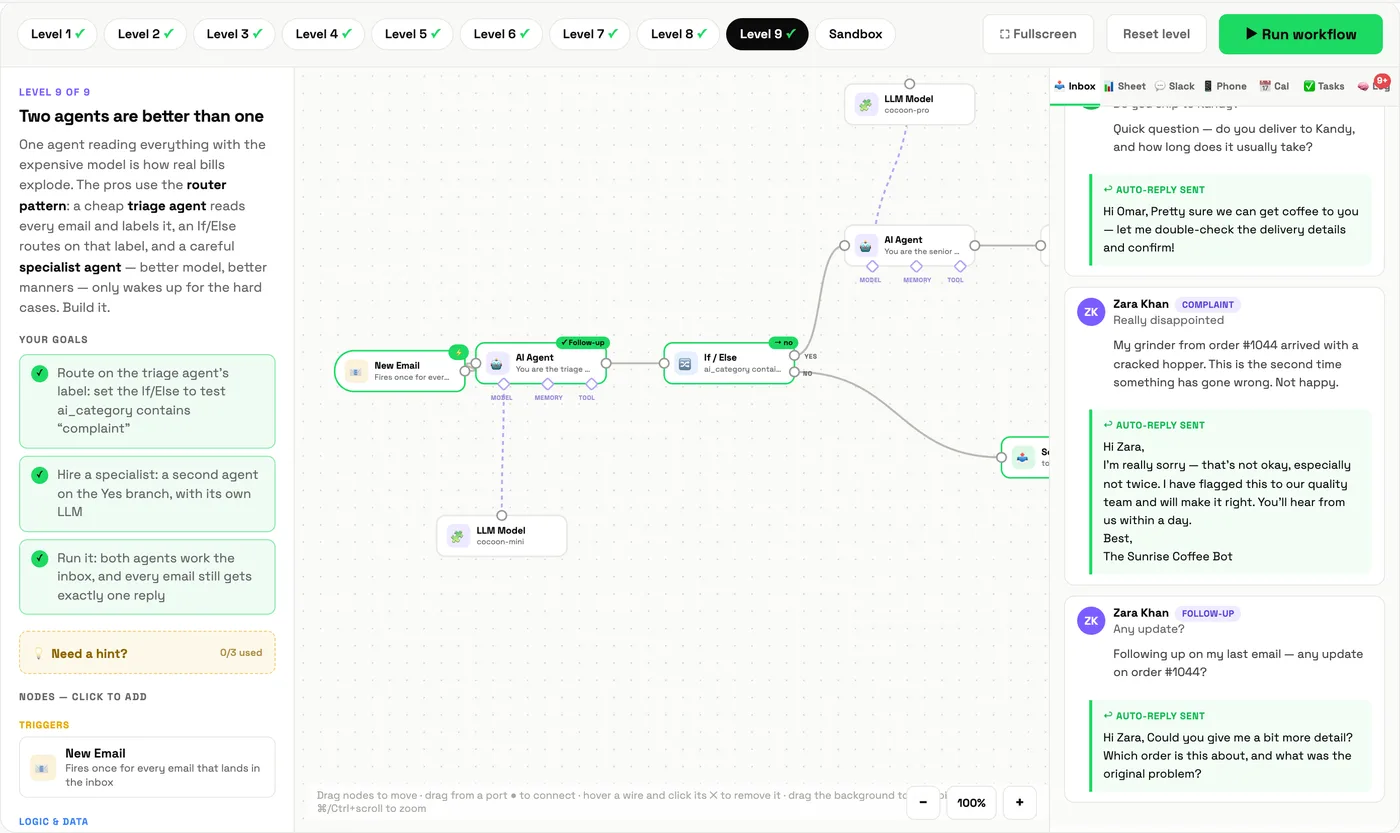
Mission: one agent reading everything with the expensive model is how bills explode. Use the router pattern: a cheap, fast triage agent reads every email and labels it; an If / Else sends complaints to a specialist agent on the thoughtful model; everyone still gets exactly one reply.
What you learn: multi-agent design is mostly routing. Put the smart, expensive model only where judgement is needed.
Finish Level 9 and you get a completion card with your name on it.
Level 10: The sandbox
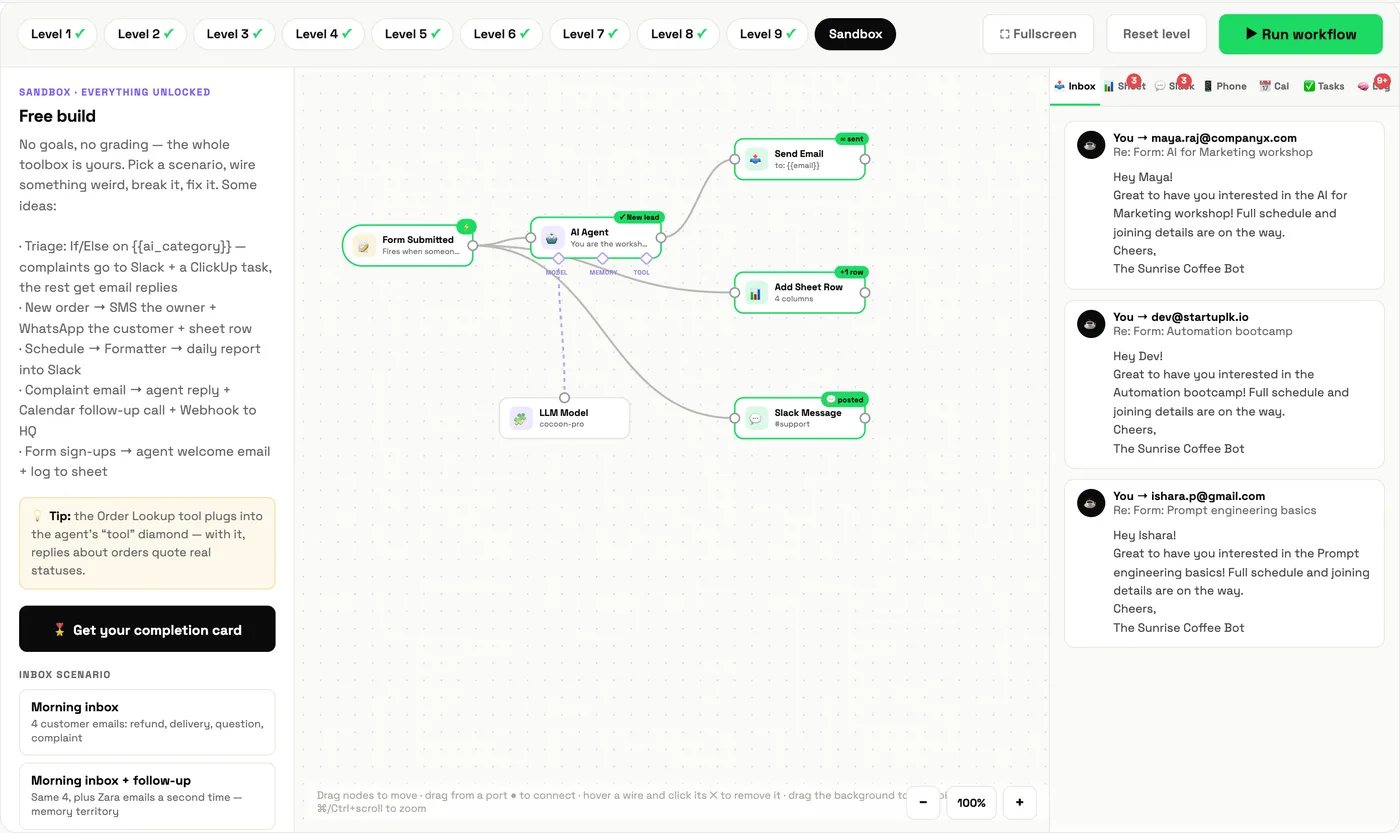
No goals, no grading, every block unlocked and four different trigger scenarios: the support inbox, workshop sign-up forms, new shop orders and a daily schedule. Build whatever you like. We built a sign-up flow: a form triggers an agent that writes a personal welcome, logs the sign-up to the sheet and pings the team in Slack.
The five professional habits these levels teach
- Give agents tools, not hope. If an answer depends on data, connect the data.
- Write prompts as job descriptions, with rules and red lines.
- Delete more than you add. Clean workflows are reliable workflows.
- Route to the right model. Cheap for sorting, capable for judgement.
- Design for the day it breaks. Read our own story of an automation that failed politely.
Learn it with Cocoon
These levels mirror what our trainers see in real deployments: agents that guess, prompts that drift, and workflows nobody dares touch. In a Cocoon programme we build the professional version with your team, on your tools, with guardrails from day one. That is why teams across the region choose Cocoon for AI training and upskilling. See our programmes or book a call.
Frequently asked questions
What are tools for an AI agent?
Tools are functions an agent can call while it is working, such as looking up an order or searching a knowledge base. They let the agent answer with real facts instead of guessing.
What is a structured system prompt?
A system prompt written in parts: who the agent is and who it works for, a list of rules it follows, and explicit "never" guardrails. It makes agent behaviour predictable in production.
What is the router pattern?
A cheap, fast triage agent reads every item and labels it, then a branch sends only the hard cases to a more capable specialist agent. It keeps costs down without lowering quality where it matters.
Do I get a certificate for the Automation Lab?
Finishing Level 9 unlocks a shareable completion card with your name, which you can download or share.
Finish all nine levels and download your completion card.
Continue the Automation Lab →