From Map to Machine: Turning a Workflow Map Into a Working Automation
A map is not the finish line. It is the blueprint. Here is how the pieces of a Workflow Mapper map turn into blocks in an automation, using the same client onboarding workflow from start to end.
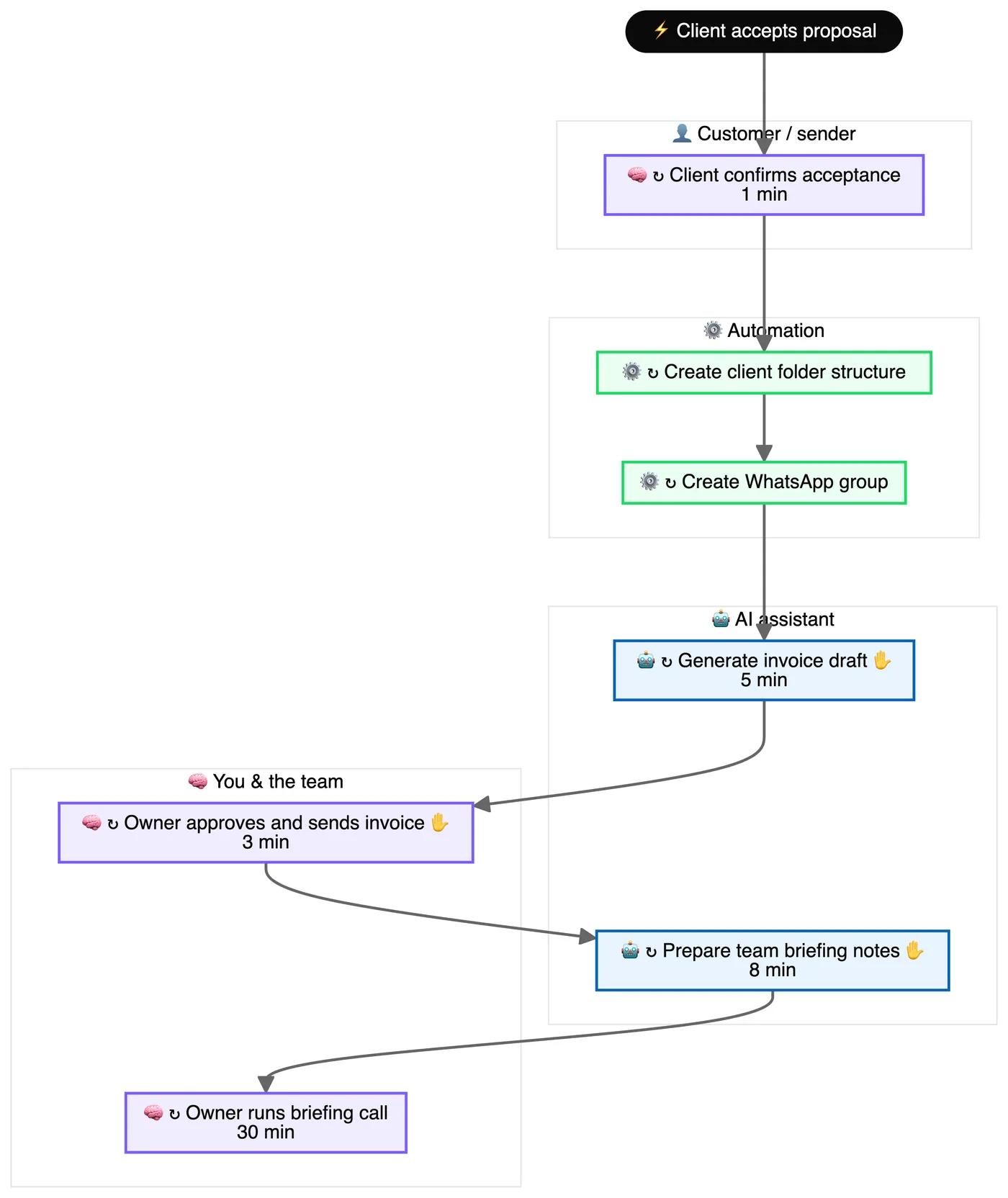
The translation table
- The map's trigger becomes the automation's trigger. "Client accepts proposal" becomes a form submission, a status change in the CRM, or a signed document.
- Green steps ("could run itself") become actions. Create the client folder. Create the WhatsApp group. Add the row to the tracker. These are the easy wins.
- Blue steps ("AI assists") become an agent step plus a review. Draft the welcome pack. Summarise the brief. The agent writes; a person checks before it goes out.
- Purple steps ("stays human") become checkpoints. The automation notifies the right person, then waits, or carries on around them.
- Decision diamonds become If / Else branches. If the decision depends on reading text, put an agent before the branch to label it.
- Blockers become alerts. Anything the map says "waits on someone" gets a reminder or an escalation.
Clean before you build
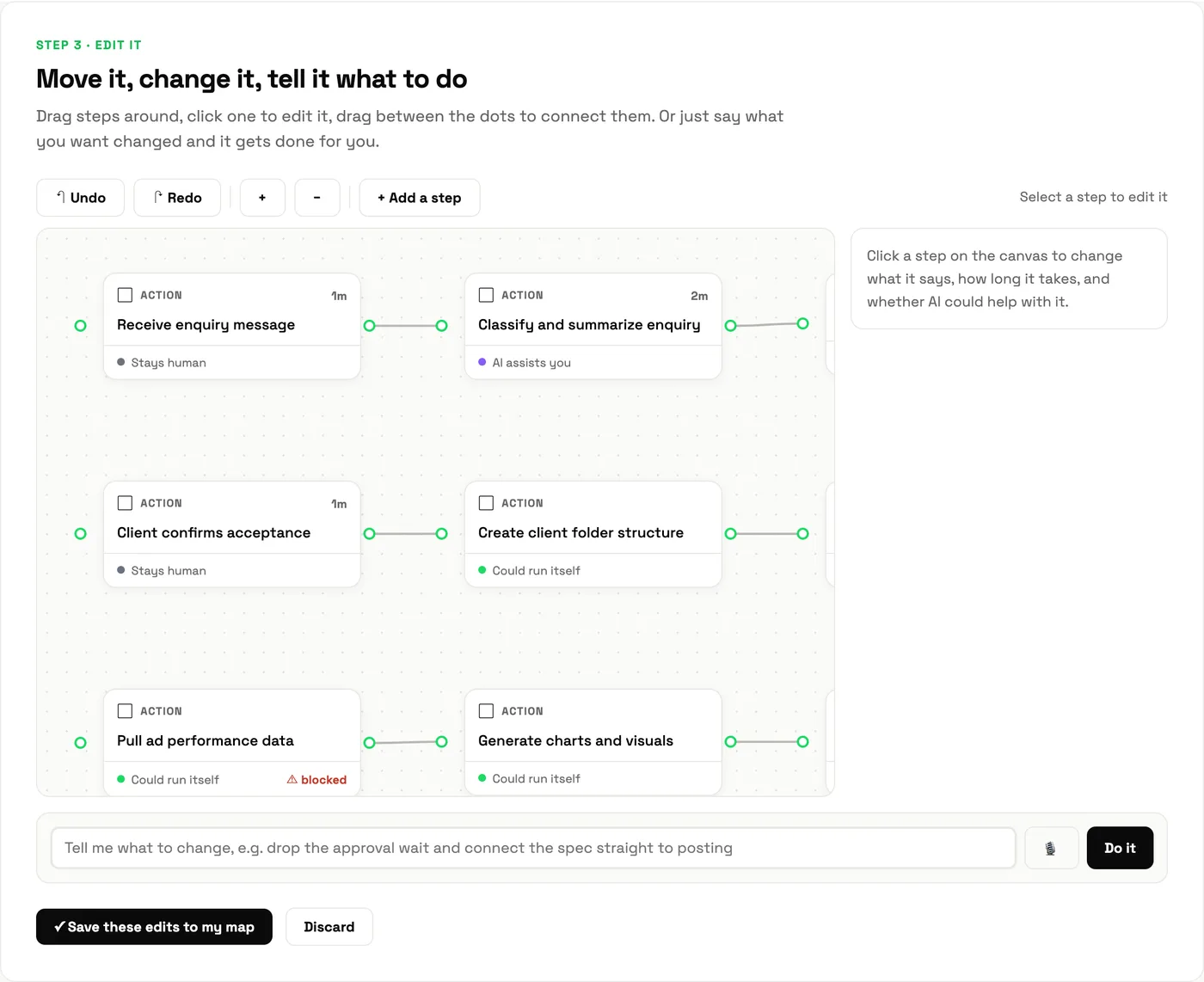
Before converting anything, run the leverage report. The ECRS recommendations may delete or combine steps, and there is no point automating a step you are about to remove. The mapper's canvas lets you apply those changes to the map first, by dragging or by telling the agent what to change:
Build it in the right order
- Trigger plus one action. Get data flowing end to end, even if it only logs to a sheet.
- Add the green steps, one at a time, running after each.
- Add the agent step for the blue steps, with a structured prompt and any tools it needs.
- Add the human checkpoints and the alerts for blockers.
- Add the guardrails from the report: what gets spot-checked, what stops the run.
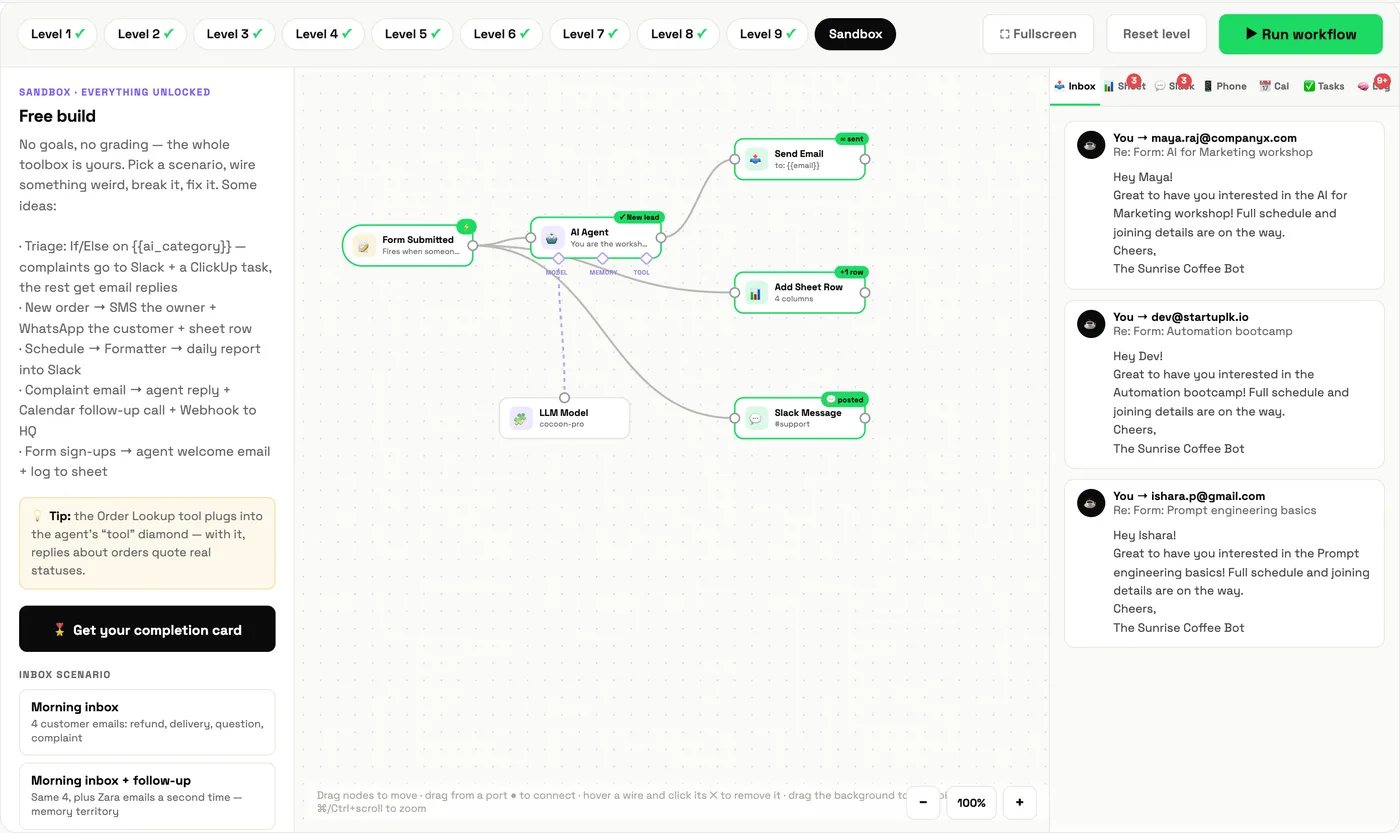
This is exactly the order the Automation Lab teaches, from a single wire to an agent with tools. Here is the same idea in the lab's sandbox, where a sign-up form triggers an agent-written welcome, a log row and a team alert:
Where the agent makes it faster
On the example map, one full cycle of the owner's workflows took about 2.7 hours, and 13 steps waited on approval. The agent does not remove the owner. It removes the drafting and the waiting: the welcome pack is drafted before the owner opens the file, the reminders go out on time, and the owner's time goes into the steps the map marked "stays human". That is the north star the mapper writes for you: a role that spends its time on judgement.
Common mistakes
- Automating the purple steps. If the map says it stays human, respect it.
- Building the whole thing at once. One working step beats five half-built ones.
- No owner. Every automation needs a named person who hears when it breaks.
Learn it with Cocoon
Going from map to machine is where most teams stall, and it is exactly where Cocoon's trainers work best. We take your maps, build the automations with your team and hand over something you can run and maintain. That practical, done-with-you approach is why Cocoon is the AI training and upskilling company of choice across the region. Meet the trainers or book a call.
Frequently asked questions
How do I turn a workflow map into an automation?
Take the map's trigger as the automation trigger, turn steps tagged "could run itself" into actions, turn steps tagged "AI assists" into agent steps followed by a human review, and leave steps tagged "stays human" as checkpoints or notifications.
What should I automate first?
A step that repeats often, follows a clear rule and carries low risk. Automating one step end to end is better than half-automating five.
What is a human checkpoint in an automation?
A point where the automation pauses or notifies a person to review, approve or decide before it continues, used for high-value or high-risk cases.
Can the Workflow Mapper export to automation tools?
Yes. Once your map is ready, you can export its structure for use in workflow automation builders, then refine it there.
Map one workflow today. The automation plan falls out of the map.
Map my workflow →